


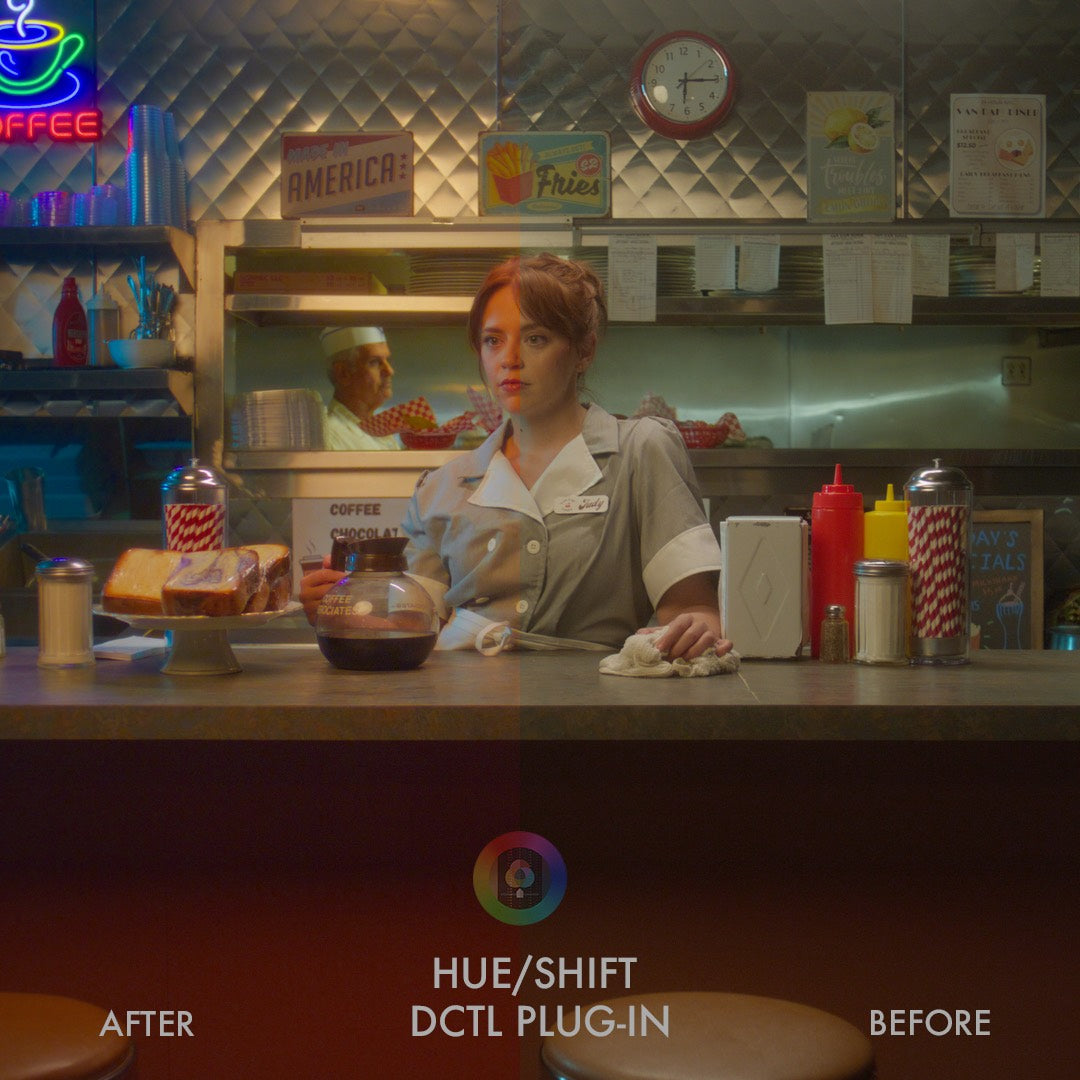
Hue/Shift™ DCTL Plug-In – Pro Version
Surgical, film-like saturation for DaVinci Resolve
“It's the only DCTL that has a permanent place in my fixed node tree. I couldn't live without it.”
Individual license, for productions with budgets up to $5 million USD. Studios and larger productions: see Studio licensing.
COMPLETE THE WORKFLOW
Test it in your own project before you buy.
Deep, filmic color without breaking skin tones. Subtractive saturation and hue control for DaVinci Resolve, used by thousands of working colorists.
Built for colorists, DPs, and editors who need precise control over color relationships while maintaining image integrity.
 Pro Upgrade
 Pro Upgrade
 Demo Version
 Demo Version
 Product Updates
 Product Updates




Over 1600 Satisfied Users (and growing....)
A Look Development Toolkit for Shaping Color and Saturation
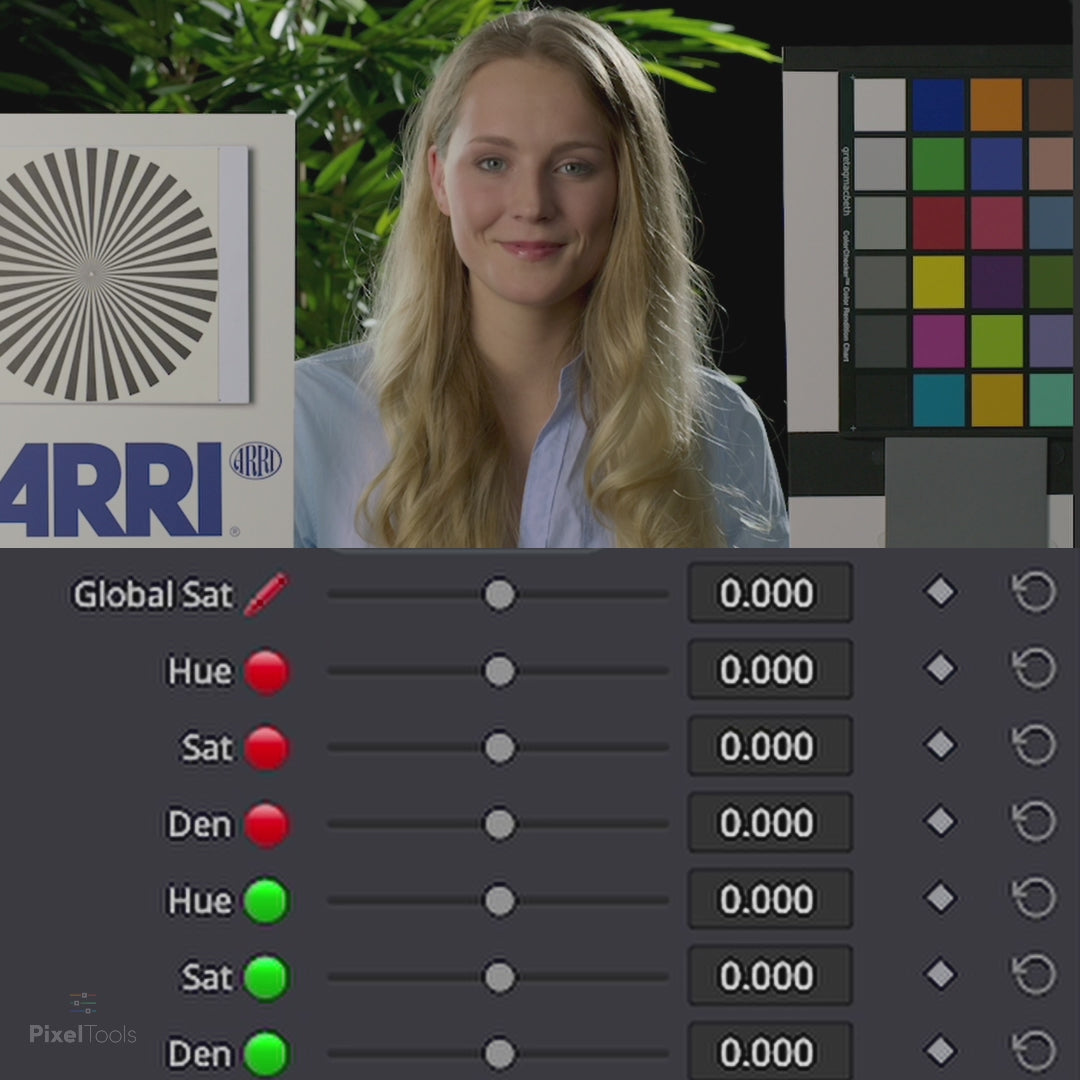
Hue/Shift™ is an all-in-one look development DCTL designed for effortlessly adjusting all six primary (red, green, blue) and secondary (cyan, yellow, magenta) hues in a natural and pleasing way using subtractive saturation and density.

Compatible with
Color Managed Workflows
Hue/Shift™ seamlessly integrate with Resolve Color Management (DaVinci Intermediate) and ACES workflows, ensuring accurate and consistent color management throughout your entire post-production pipeline.
Why Not Just Use Resolve's Hue Curves or Qualifiers?
 Hue vs Hue Curves - Prone to Bleed
 Hue vs Hue Curves - Prone to Bleed
Adjusting one point on the Hue vs Hue curve tends to drag the neighboring hues along with it. Isolating a single color cleanly means stacking extra points and re-checking the whole curve every time you nudge one.
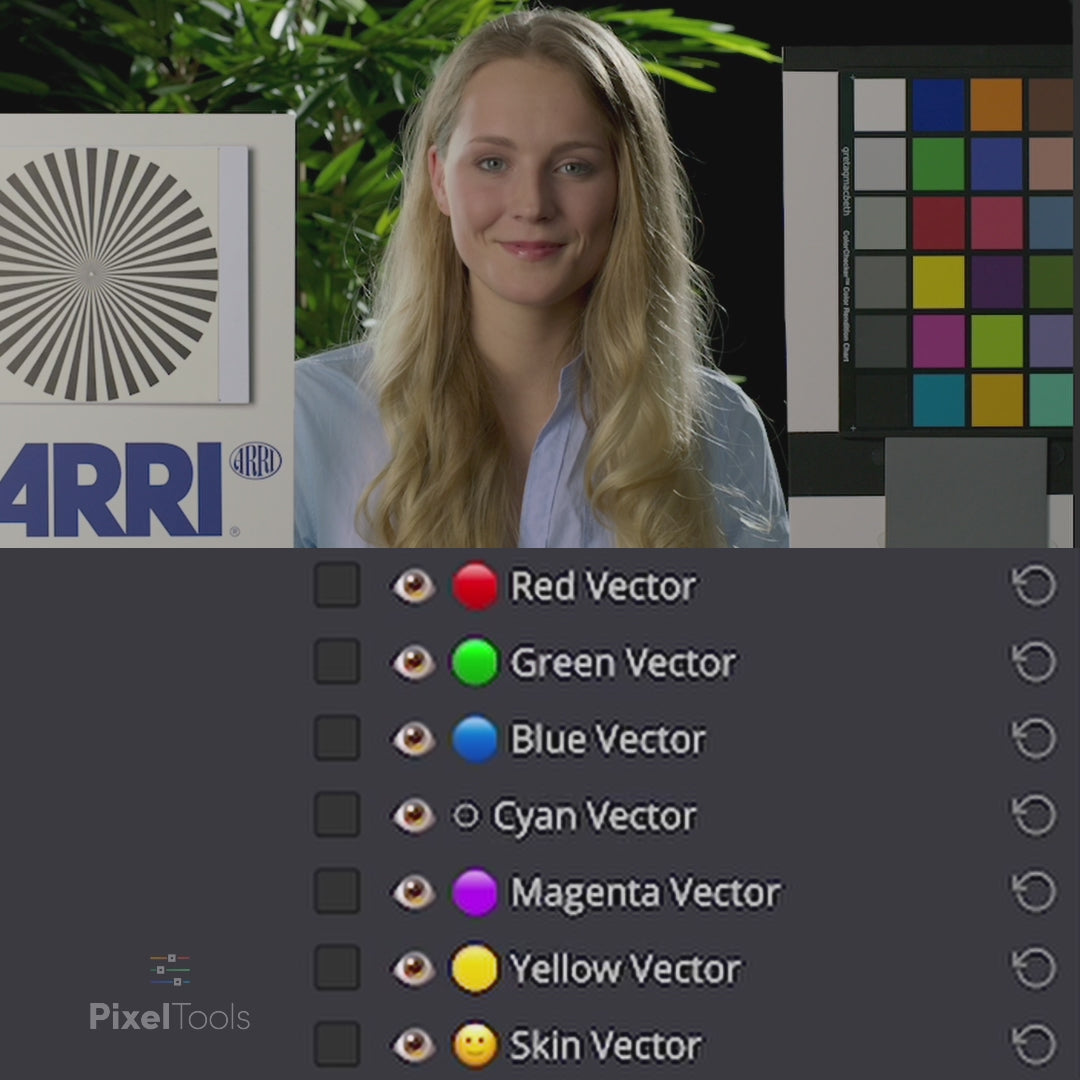
Hue/Shift™ gives you all six primary and secondary hues as separate vectors, so a push into the reds stays in the reds and leaves the rest of the frame alone.
Keying a hue so you can move it is precise, but it is slow to set up, and the key breaks apart on grain, motion, and soft edges. That leaves fringing you have to go back and clean.
Hue/Shift™ shapes hue and saturation directly, with no key to pull, track, or repair.
 Native Saturation - Additive and Harsh
 Native Saturation - Additive and Harsh
Resolve's saturation stacks on top of what is already there, so strong colors clip and posterize as you push them.
Hue/Shift™ uses subtractive saturation and density instead, for a natural falloff that holds detail in your most saturated tones.
Choose your version.
What's included
- 1 DCTLe Plug-in — Hue/Shift Core tool for shot-level adjustments only
- 5 Advanced Look Development DCTLs — Saturation, Hue, Density, Contrast, Crosstalk
- Show LUT Creation Workflow — dedicated tools for building show-level looks
- Blend Feature — seamlessly mix multiple Hue/Shift Pro DCTLs
- 2 PowerGrade DRX Files — Icon and No Icon versions
- User Guide PDF — setup and usage documentation
- Lifetime License — one-time purchase, no subscriptions
- Free Updates — ongoing refinements and camera support
Included DCTL Plugins
1 plugin — subtractive saturation, hue, and density control
Core Tool
- Hue/Shift™.dctle
All-in-one subtractive saturation, hue rotation, density, skin controls, Clean Neutrals, and Saturation Highlight Bypass.
Pro Only
- Hue/Shift™ Saturation.dctle
- Hue/Shift™ Hue.dctle
- Hue/Shift™ Density.dctle
- Hue/Shift™ Contrast.dctle
- Hue/Shift™ Crosstalk.dctle
One-time purchase. No subscriptions.
What's included
- 6 DCTLe Plug-ins — Core tool plus Saturation, Hue, Density, Hue Contrast, Crosstalk
- 5 Advanced Look Development DCTLs — Saturation, Hue, Density, Contrast, Crosstalk
- Show LUT Creation Workflow — dedicated tools for building show-level looks
- Blend Feature — seamlessly mix multiple Hue/Shift Pro DCTLs
- 12 PowerGrade DRX Files — Icon and No Icon versions for every plug-in
- User Guide PDF — setup and usage documentation
- Lifetime License — one-time purchase, no subscriptions
- Free Updates — new tools, refinements, and camera support for life
Included DCTL Plugins
6 plugins — dedicated controls for every dimension of color
Core Tool
- Hue/Shift™.dctle Basic
All-in-one subtractive saturation, hue rotation, density, skin controls, Clean Neutrals, and Saturation Highlight Bypass.
Saturation
- Hue/Shift™ Saturation.dctle
Dedicated subtractive and additive saturation per hue with Blend and Skin Vector controls.
Hue
- Hue/Shift™ Hue.dctle
Precise hue rotation per vector with Blend and Skin Vector controls.
Density
- Hue/Shift™ Density.dctle
Luminance control per hue for rich, cinematic color palettes with Blend and Skin Vector controls.
Contrast
- Hue/Shift™ Contrast.dctle
Hue contrast control for advanced look development with Blend and Skin Vector controls.
Crosstalk
- Hue/Shift™ Crosstalk.dctle
Channel crosstalk emulation for filmic color interactions with Blend and Skin Vector controls.
One-time purchase. No subscriptions.
"Subtractive" Saturation in Action
See PixelTools hueShift visually compares to other commonly used saturation controls.

Native Resolve Saturation

hueShift DCTL "Subtractive" Saturation
Buy With Confidence
Professional tools, backed by a fair and transparent guarantee.
Our 7-Day Satisfaction Guarantee
Try PixelTools in your real-world workflow. If it’s not the right fit, we’ll help you get the most out of it. And if it still doesn’t match your needs, you’ll receive store credit to choose another PixelTools tool that better fits your workflow.
Built by Working Colorists
Trusted by 30,000+ Professionals
Fair, Transparent Exchange Policy
Hue/Shift™ PRO DCTL — Frequently Asked Questions
Do I need DaVinci Resolve Studio?
Yes. Hue/Shift is a DCTL, and DCTL plug-ins run only in DaVinci Resolve Studio (the paid version) — they aren't supported in the free edition of Resolve.
Can I try Hue/Shift before buying?
Yes. A free Hue/Shift demo is available, so you can load it into your own footage and see how it behaves in your pipeline before buying the full PRO toolkit.
Is it a one-time purchase or a subscription?
A one-time purchase with free updates — no subscription. Buy it once and you own it, future improvements included.
What's your refund policy?
If a plugin isn't right for your workflow, email us within 7 days of purchase and we'll set you up with store credit or an exchange. These are instant digital downloads, so we don't offer cash refunds, but we'll make sure you get a tool that works for you.
What is the Hue/Shift™ PRO DCTL?
Hue/Shift™ PRO is a subtractive saturation and hue toolkit for DaVinci Resolve, used by thousands of working colorists. Rather than bluntly pushing saturation, it lets you shape the relationships between colors — shifting hue and controlling saturation and density with precision — so you can build a look while keeping skin tones and overall image integrity intact. Built for colorists, DPs and editors who want real control over color, not presets.
What's included in Hue/Shift™ PRO?
It's a six-DCTL toolkit — six complementary plug-ins covering hue, saturation and density, so you reach for the right tool for each part of the grade instead of forcing one slider to do everything.
How do I install it?
Installation is handled by the free PixelTools installer app: download it, run the installer, and Hue/Shift is placed in the correct Resolve folder automatically — no manual file-copying, no hunting for the LUT directory.
I am buying for a facility or a production over $5 million. Is this the right license?
The price on this page is the Individual license: one colorist, your own machines, productions with budgets up to $5 million USD. Facilities, teams, and bigger productions need Studio seats: the same grading features, with PO invoicing, priority support, and offline activation today, plus floating seat management delivered within 12 months of purchase. See Studio licensing.
The Hue/Shift DCTL has been my single, greatest gain with the least amount of effort plugin, that has instantly taken my grades from ordinary to pro level look. I use it now on literally even project and has been a game changer in making my work look more premium, bright, dense and clean. Excellent product which I highly recommend purchasing if you want to take your colorgrading to the next level.
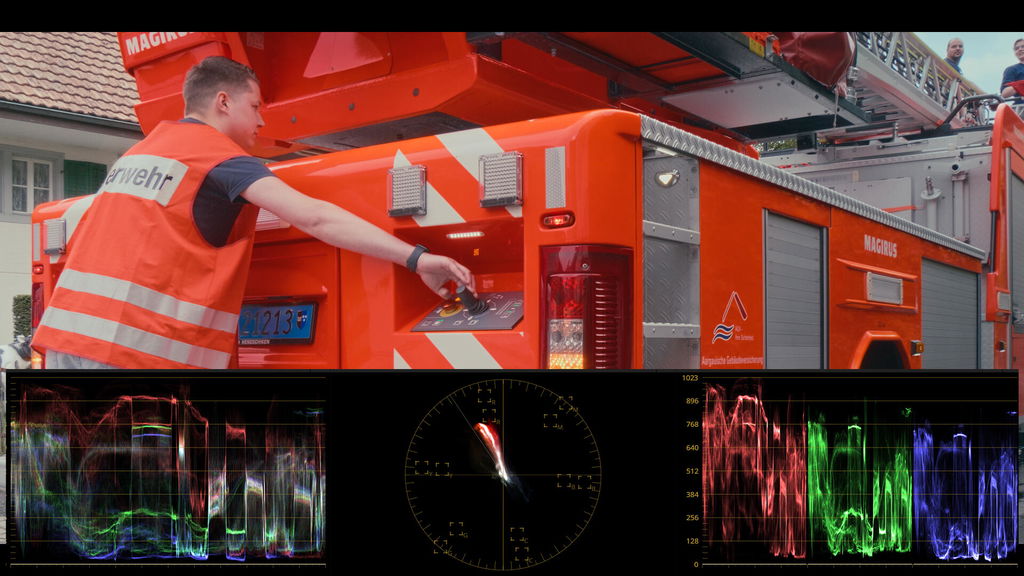
I was faced with a particularly difficult challenge for a commercial project: I just couldn't get to grips with the fluorescent colors of a fire engine. With the Hue/Shift DCTL plug-in, I managed to do this within a few minutes. The tool is extremely helpful, produces rich, film-like colors and is easy to use.
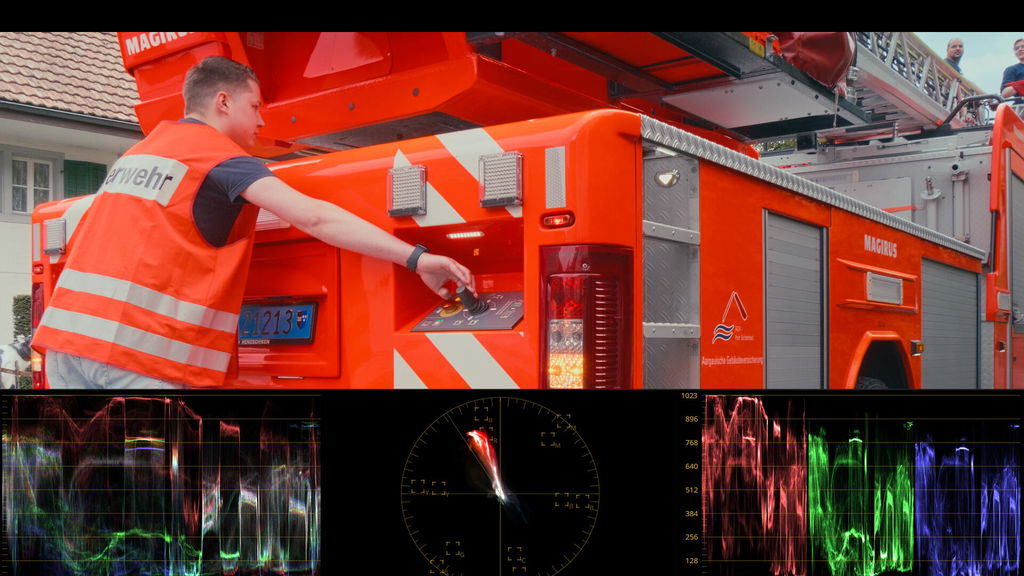
I finally achieved the film look I wanted! I did a lot with few nods, LUT s and two plugins that made my Panasonic S5 s footage looks very food, but I felt that I need more to be realy satisfied. The new tools in Resolve 19 (color alice and film look) show me that I can do more so I tried a few DCTL s for controling the Hue, substractive saturation and density. So I chosed the best tool for the job: Pixel Tools Hue Shift. It is the most complex, very accurate, and no artifacts. A powerfull tool that did the last punch I needed to achieve the film look that I struggled to get for years. Thank You and congratulation for making such a good tool!
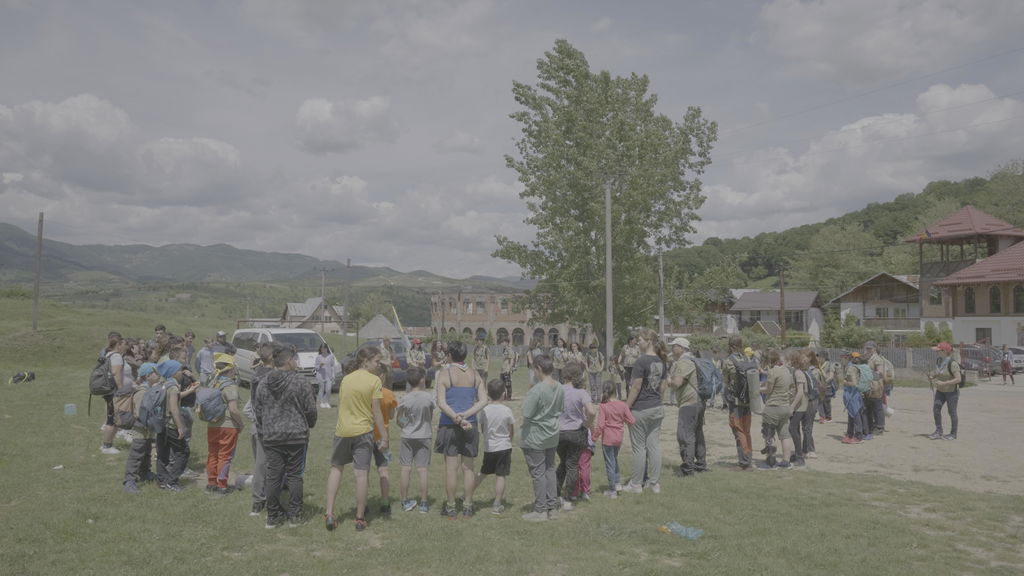
I have never been satisfied by the way NLE does saturation as it looks fake. I have been looking for ways to get organic, film like saturation that increase depth to the colors. This tool has been a godsend for my work.
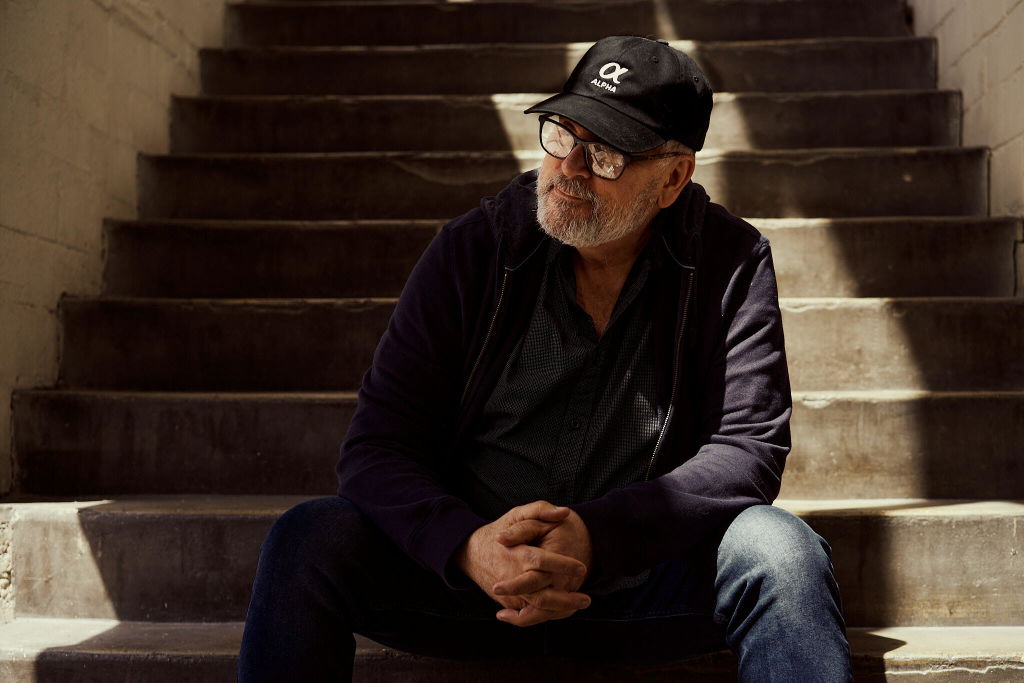
I used it to grade some iPhone 15 Pro raw footage and got back a richer blue in the sky, and some foreground late-season (not so green) grass (not highlights) was also improved with some adjustments. Nice.
I am completely blown away by the ease of use and stunning results I’m getting. through hueshift. This has completely changed my workflow and has already helped me land new work. Worth every penny.
Mit dem Tool ist es ganz leicht bestimmte Farben zu verbessern ohne die Komplementär Farben zu verändern. Leicht und schnell.


With these kind of promises and tools like this (usually) I'm weary that I may have to awkwardly ask for a refund because it doesn't deliver. Happy to say that I am extremely satisfied with PixelTools. This tool has now made it into all of my grades since purchasing and the results can't be ignored.

Now before I accidentally(happy) stumbled across an English youtuber ,...I think "Team 2 Films" i was tryin' everything putting gzillions of luts trying to figure out and recreate them by seer node trees etc etc to long to even mention, then I figured out, what actually the heck subtractive color processing mean ,huge thanks to Cullen Kelly, then how to create six vector in Davinci Resolve,it was awesome ....or was it... first it was extensively tedious, setting up six nodes adding additional processing nodes to every vector ,save it as a powergrade then append every shot's existing power grade ,reordering them aaaa maaan....then I've, found this video about subtractive color manipulation by the above mentioned gent'/youtuber and at the end of the video he pointed to this other gent' ,in fact two: Jason Bowdach ,and Kaurh who collaboratively developed, this tool and it's cheap as hail.....so I am just gonna use some words to describe it: -faaaaast , CLEAN (my six vector workflow was never that clean) ,INTUITIVE( it takes your brain away from technical fiddling) instant results or realtime result by only manipulating ,again, intuitive sliders instead of setting up tedious never ending node trees and worse opening up every one at the time my brain explodes by only thinking about them, and heck is the most bang for the buck tool that I have ever bought so far hands down , so what can I say I fell in love with it bought it without hesitation. Thanks "Team 2 films" ,Thanks Jason , Thanks Kaurh!
Until I found this tool, creating deep film like saturation required a lot of complicated nodes and tricks in Resolve. Hueshift DCTL does away with all that and makes the process incredibly simple.

Excellent tool to control density & hue. Integrated it in my fixed node tree. Half the price of similar tools by other developers. Well worth the investment.

I went back and forth on what color shift DCTL to buy, and I'm so happy I chose Hue/Shift. It's such a quick way to develop the look you want without clipping or banding.
This set of DCTL is amazingly effective… I can tweak my images exactly how I want it, very fast.. as usual with pixel tool, integrated qualifiers makes things so easy
Very high valley considering the one time payment
I'm satisfied with the tool itself, but I would have liked a video that briefly explains all the functions. Unfortunately, I couldn't find anything on YouTube. That's my main criticism.
Hue/Shift is a fantastic diverse tool kit, and I use it both on the timeline and clip level. Works wonders!
PixelTools Hue/Shift DCTL Plug-In in the Basic version has become one of those tools I reach for on almost every grade. It offers a level of hue, density, and saturation control that simply goes beyond what native Resolve tools can do. Being able to shape deep film reds while protecting skin tones, fine-tune density per hue, and keep neutrals clean makes look development faster, more intentional, and more filmic.
PixelTools Hue/Shift DCTL Plug-In – Pro is an essential toolset for serious look development and professional show LUT creation. The Pro package expands on the Basic version with five powerful additional DCTLs—Saturation, Hue, Density, Contrast, and Crosstalk—providing precise, perceptually consistent control over color relationships. Together, the full Hue/Shift toolset enables fast iteration, clean color separation, and reliable, repeatable results across complex grading pipelines. An indispensable addition for any colorist working at a high-end level.
Now this is much faster way to get colors right than using wheels and color slice tool.
It's a great tool for adjusting materials to fit the world view you want to create.
I'd like to practice so I can get the most out of it.
Awesome tool. Speeds up my workflow!
Hue/Shift has been my go to tool for look dev for a while, the pro version has been a no regret upgrade for me. It means I get good results quick and reduces the amount I need to learn to achieve results. My focus is on camera operating and this means I can build my own looks, camera luts and creative luts, all while regularly working on set. Cannot recommend enough.
Excelente adición a mi pequeña colección de dctls, muy útil y rápida para modificar colores o grupos de colores específicos sin tener que usar el gotero, 100% recomendado.
If there is one thing that has changed my color grading workflow - it is the Hue/Shift DCTL. I dont have a grading panel and this really helps me nail the look I am going for. I have spent 2 years trying to get a good looking image in post and this has gotten me so much further in my skill set than I could have ever imagined! It was so good I had to go for The PRO Version. It is worth it
I have never thought to look at the saturation as subtraction. It is a very impressive context coming from film which makes sense 100%. The results are amazing. The richness of the colors are outstanding. Try them on you will not regret it.
Solves many of the issues that I’ve encountered with Color Slice. Less destructive, more nuanced and feature packed. Two years and it’s still a permanent fixture in my node tree.
This tool has become an essential part of my grading workflow—it’s now a key element in my base node tree. It really simplifies the process and helps me achieve richer, more vibrant colors with ease. I’m very happy with it and would totally recommend it to anyone serious about color grading.
Basic or Pro
Choose by the work you do
I built Hue/Shift™ because moving one hue in Resolve meant stacking Hue vs Hue curves and a qualifier, and the edges always showed. This does it in one node.
Pick your edition below, or run the free demo on your own footage first.
Choose Basic when
You are fixing hues shot by shot in the grade. A skin tone, a sky, a costume that came in the wrong color. The Core tool handles that on its own.
Choose Pro when
You are building a show LUT or a look you will carry across a series and want the Saturation, Density, Hue Contrast and Crosstalk tools working alongside the Core tool.