


PixelTools Installer
Your whole kit, in Resolve in one click.
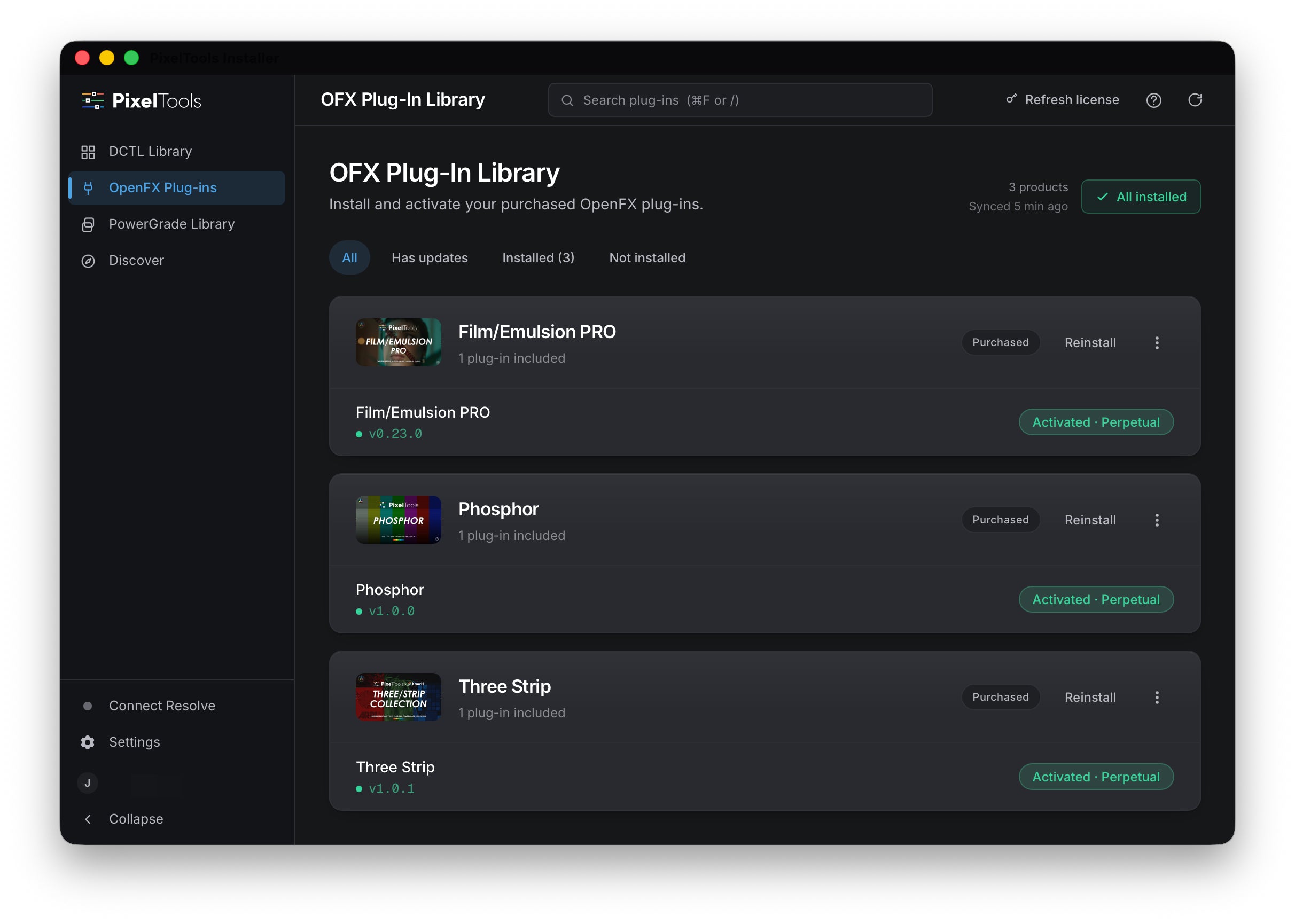
Installs your PixelTools DCTLs, OpenFX plug-ins, and PowerGrades straight into DaVinci Resolve Studio. Everything you own, free and paid, tied to your account. You skip the manual copying and the folder hunting.
New here? Start with a free tool.
Notarized on macOS, code-signed on Windows.
For macOS, Windows and Linux (beta). DCTLs need DaVinci Resolve Studio 20 or later; OFX plug-ins also run in the free edition.


What it does
Your whole library, installed for you.
One-click install
The app locates your DaVinci Resolve installation and places your DCTLs, OpenFX plug-ins, and PowerGrades in the correct folders. Open Resolve and they are there.
Installs what you own
Sign in and the app loads your account. It installs your free tools, BASIC, and PRO products without a license key.
New purchases appear automatically
Open the app after a purchase and it is already listed. Your full library reflects your account, every session.
Install and update in one click
Updates install the same way. One click, when you want them.
macOS, Windows & Linux
Native builds for all three. Linux is in beta, as AppImage or Flatpak.
Your setup stays intact
Existing LUTs, projects, and nodes are never touched or moved.
One home for everything
Every PixelTools product, free or paid, lives in one place.
Signed and notarized
macOS builds are code-signed and notarized by Apple. Windows builds are code-signed.
How it works
Three steps, about a minute.
Sign in
Open the app and sign in to your PixelTools account. New here? The app can create one for you.
Pick what to install
Pick what to install from your PixelTools account, no license keys needed.
Open Resolve
Your tools are already in the right folders. Open Resolve and start grading.
What colorists say
Rated 4.9 across 715 reviews.
It's really great to have an easy way of installing everything right from one place.
Really appreciate it. It has a nice layout and is very practical.
System requirements
What you'll need.
- macOS
- macOS 12 Monterey or later (Apple silicon & Intel)
- Windows
- Windows 10 & 11
- Linux (beta)
- Rocky / AlmaLinux / RHEL 9 / Fedora (AppImage or Flatpak)
- DCTLs: DaVinci Resolve Studio
- Version 20 or later
- Account
- Free PixelTools account + an internet connection to sign in
Get the installer
Version 1.1.4
All platforms
macOS
Recommended for youApple silicon & Intel
Notarized on macOS. Code-signed on Windows.
Download for macOSWindows
Recommended for youWindows 10 & 11
Notarized on macOS. Code-signed on Windows.
Download for WindowsLinux (beta)
Recommended for youDownload for Linux
Choose your Linux package
Ubuntu 22.04+ / Debian 12+ → AppImage · Rocky / AlmaLinux / RHEL 9 / Fedora → Flatpak (also use Flatpak if the AppImage won't launch)
Sign in and it installs everything you own, free or paid. No license keys. New here? Start with a free tool.
PixelTools Installer
FAQ
Frequently asked questions
Do I need a PixelTools account?
Yes. The app signs in to your PixelTools account and installs only the products tied to it. New to PixelTools? Any free tool creates your account. Sign in and your library is ready to install.
Do I need DaVinci Resolve Studio?
It depends on the format. DCTLs require DaVinci Resolve Studio, version 20 or later. They do not run in the free edition. OFX plug-ins run in both DaVinci Resolve Studio and the free edition. Check each product page for its minimum Resolve version.
Which DaVinci Resolve versions?
DCTLs require DaVinci Resolve Studio 20 or later, on macOS, Windows, or Linux. OFX plug-ins also run in the free edition.
I use Linux or an iPad. Can I use the installer?
Linux, yes. The installer app now runs on Linux in beta (AppImage and Flatpak) alongside macOS and Windows, so you get the same one-click install. On iPad there's no installer app, so download your files from your account and add them to DaVinci Resolve by hand. Everything still works, you just install it manually.
Will it change my existing LUTs or setup?
No. The app only adds PixelTools files to your DaVinci Resolve folders. It does not touch your own LUTs, your projects, or your existing setup, and you can remove its files at any time.
Do I get free updates? Is there a subscription?
Yes. Free updates, no subscription. Every PixelTools product is a one-time purchase, and the app keeps your installed tools current.
How does licensing work?
Sign in with the account you used at checkout. The app reads your purchases and installs what you own, whether that is a free tool, a BASIC product, or a PRO product.
Can I use it on more than one machine?
Yes. Sign in on any supported computer and the app installs the tools you own there too.
Where does the app install my files?
It depends on the type. DCTLs and OpenFX plug-ins install into the correct DaVinci Resolve folders for your platform, so Resolve picks them up the next time you open it. PowerGrades install straight into your Resolve gallery, ready to use.
Can I install manually instead?
Yes. Every PixelTools file can be copied into its DaVinci Resolve folder by hand. The app does that step for you and confirms everything landed correctly.
How do I uninstall a tool?
Open the app and remove any PixelTools tool from the same place you installed it. The app tracks what it added, so you do not have to hunt through DaVinci Resolve folders by hand.
The install did not work. What should I check?
Confirm you are signed in, that DaVinci Resolve is installed, and that you have a supported version. If it still fails, contact support with the version number shown in the app.
Get your tools into Resolve
Your tools are waiting in your account. Install once and start grading.
Support
Need a hand?
If you run into anything, reach out. We personally read and respond to every message. You can also browse the documentation for setup steps and answers to common questions.