

Exposure/Tool™ DCTL Plug-In
“True exposure control without breaking the image. The DP requested 1/4- and 1/2-stop changes, and I could easily and quickly match the different exposure levels. So simple, easy and yet so powerful.”
Individual license, for productions with budgets up to $5 million USD. Studios and larger productions: see Studio licensing.
COMPLETE THE WORKFLOW
Test it in your own project before you buy.
 Demo Version
 Demo Version
 Product Updates
 Product Updates

PixelTools Perks™
Earn 5% back in store credit on every PixelTools purchase.
Automatic Rewards, Built In
Every PixelTools purchase automatically earns 5% store credit, added directly to your PixelTools account. Use your credit on any future PixelTools product, even during sales and discounts. No sign-up required.
5% Back on Every Purchase
No Sign-Up Required
60-Day Credit Validity
Reacts just like RAW Controls, but faster

Compatible with
Color Managed Workflows
Exposure/Tool seamlessly integrate with Resolve Color Management (DaVinci Intermediate) and ACES workflows, ensuring accurate and consistent color management throughout your entire post-production pipeline.
Using exposureTool has not only helped me improve my workflow, but also has allowed me to achieve excellent results in a faster and more efficient manner.
Super fast and easy to use. I love how easy it is to precisely add a bit of detail in the shadows with beautiful roll-off without messing with the black point.
I’ve made the PixelTools exposure Tool DCTL part of my regular pipeline. I love the ability to set the correct working space and dial in the right fill and roll off. Wonderful results, wonderful tool!
I am absolutely happy to be using this tool. It has had a tremendous impact on my workflow. I highly recommend it - a 100% must-have!
An excellent tool to ease the learning curve and get immediate results.
Compared to Native Resolve Tools
The native resolve tool (offset) results in slightly milky shadows due to to its tendency to raise the black levels.
Our exposureTool DCTL does not have the same issue, allowing you to grade faster.

Offset \ Printer Points

PixelTool exposureTool DCTL

Exposure/Tool™
Exposure and Fill in One Node
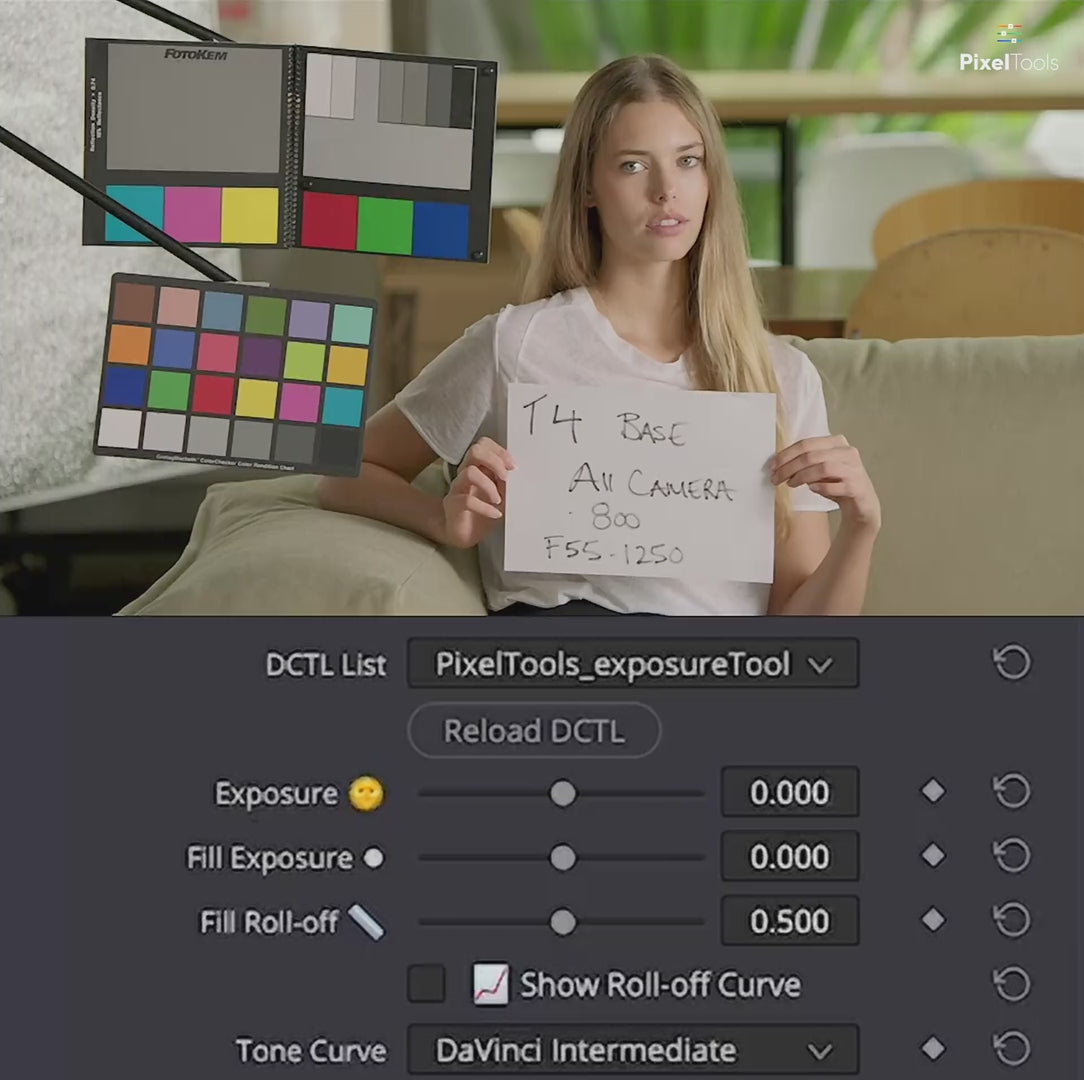
Exposure/Tool™ is an exposure DCTL for DaVinci Resolve. It sets overall exposure and lifts fill separately, so you can open up the shadows without flattening the highlights, all in one node.
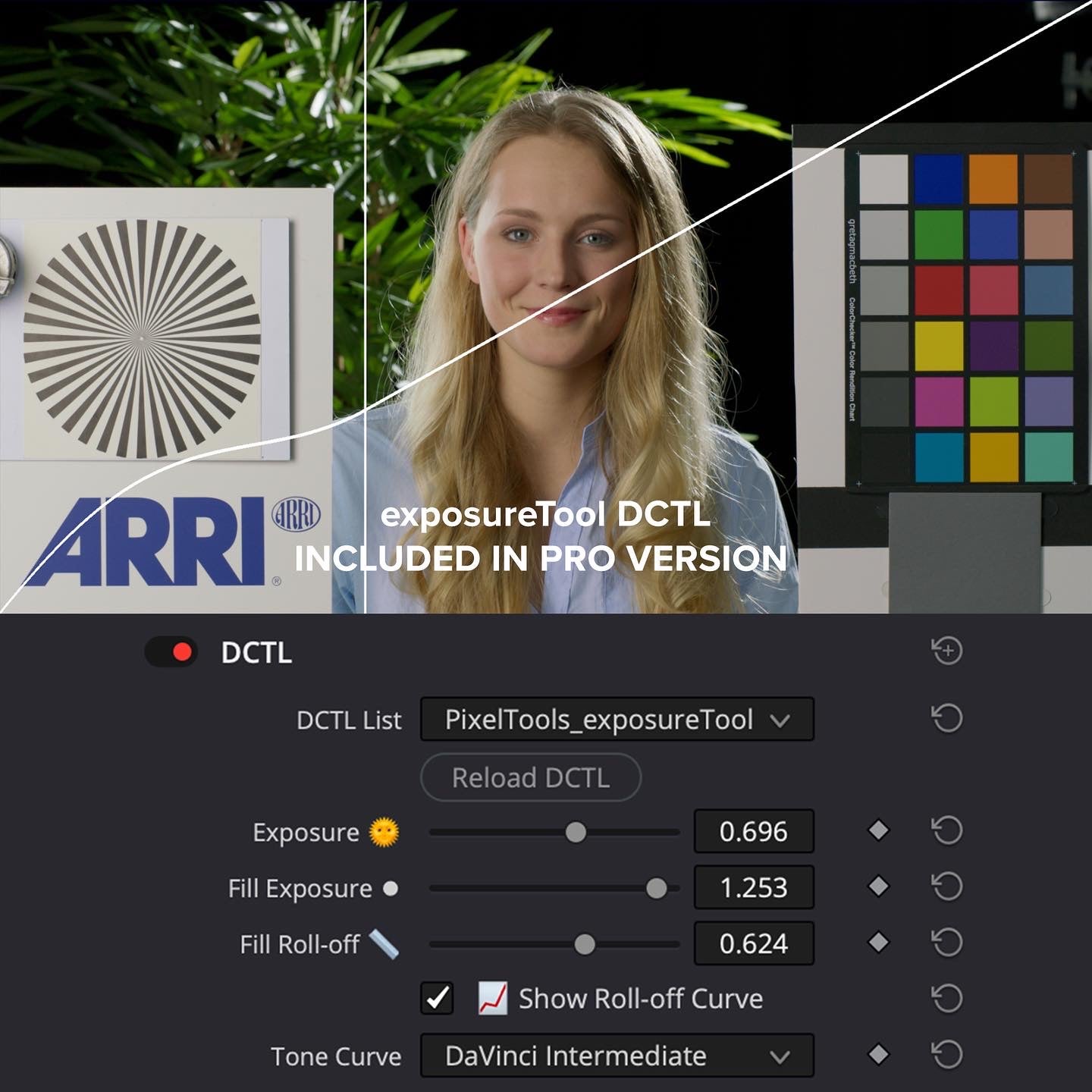
Fill Roll-off shapes how the fill hands off to the rest of the image, and Show Roll-off Curve puts that shape on screen while you set it. It works in DaVinci Wide Gamut Intermediate and carries the same Transfer Function list as the rest of the PixelTools line.
Exposure/Tool™ DCTL — Frequently Asked Questions
What is the Exposure/Tool™ DCTL?
A simple, precise exposure DCTL for DaVinci Resolve that adjusts exposure in real photographic stops — intuitive, accurate and camera-like — without the guesswork. It maintains clean black levels, avoiding the shadow shifts you get from Offset, Printer Points or LGG moves.
What's included?
The Exposure/Tool™ DCTL plus a unique “Fill Exposure” control that adds soft, targeted light below middle gray to lift shadow detail without flattening the image, a visual Fill roll-off curve overlay, and a Base Setup PowerGrade to get started instantly. It works with all major log formats (ARRI LogC3/4, RED IPP2, Sony S-Log2/3, Canon Log, DJI D-Log, Panasonic V-Log) and is color-managed for DaVinci Wide Gamut, ACES and RCM.
Do I need DaVinci Resolve Studio?
Yes. Exposure/Tool™ is a DCTL, and DCTL plug-ins run only in DaVinci Resolve Studio — they aren't supported in the free edition.
How do I install it?
Installation is handled by the free PixelTools installer app: download it, run the installer, and Exposure/Tool™ is placed in the correct Resolve folder automatically.
Can I try Exposure/Tool™ before buying?
Yes. A free Exposure/Tool™ demo is available to load into your own footage first.
Is it a one-time purchase or a subscription?
A one-time purchase with a perpetual license and free lifetime updates — no subscription.
I am buying for a facility or a production over $5 million. Is this the right license?
The price on this page is the Individual license: one colorist, your own machines, productions with budgets up to $5 million USD. Facilities, teams, and bigger productions need Studio seats: the same grading features, with PO invoicing, priority support, and offline activation today, plus floating seat management delivered within 12 months of purchase. See Studio licensing.
I have spent a lot of $$$$ on plug-ins and LUTs. The problem is that when you have an extremely complicated node tree with different plug-ins from different sources, they can fight against each other and degrade your project. Recently, I have reduced multiple DCTLs and nodes with PixelTools, as they are designed to work together. The Exposure tool is a wonderful first plugin after your conversion colorspace to begin to balance your look. I have been able to reduce a node tree down to several main nodes now since this plug-in takes the place of several, and you can dive into grading much quicker. Highly recommend.

The documentation says, "Step 1. ... DCTL will load up and present you with its UI controls." The problem is that the UI controls don't appear. I'm using the latest version of DaVinci.

We’ve reached out via email to help troubleshoot — it looks like a step in the setup guide may have been missed. Either way, we’re happy to assist. We stand behind all of our products and want to get this working for you. If you reply to the email, our team can jump in right away and help get everything sorted. :)
Lo recomiendo 100 por ciento mi favorito
These tools have taken my skills to another level they also help me understand Resolve better by being able to access each node and see what it’s doing to the image and what tools were used. I have already purchased all of the collections and I’ll be looking forward to what’s up and coming.

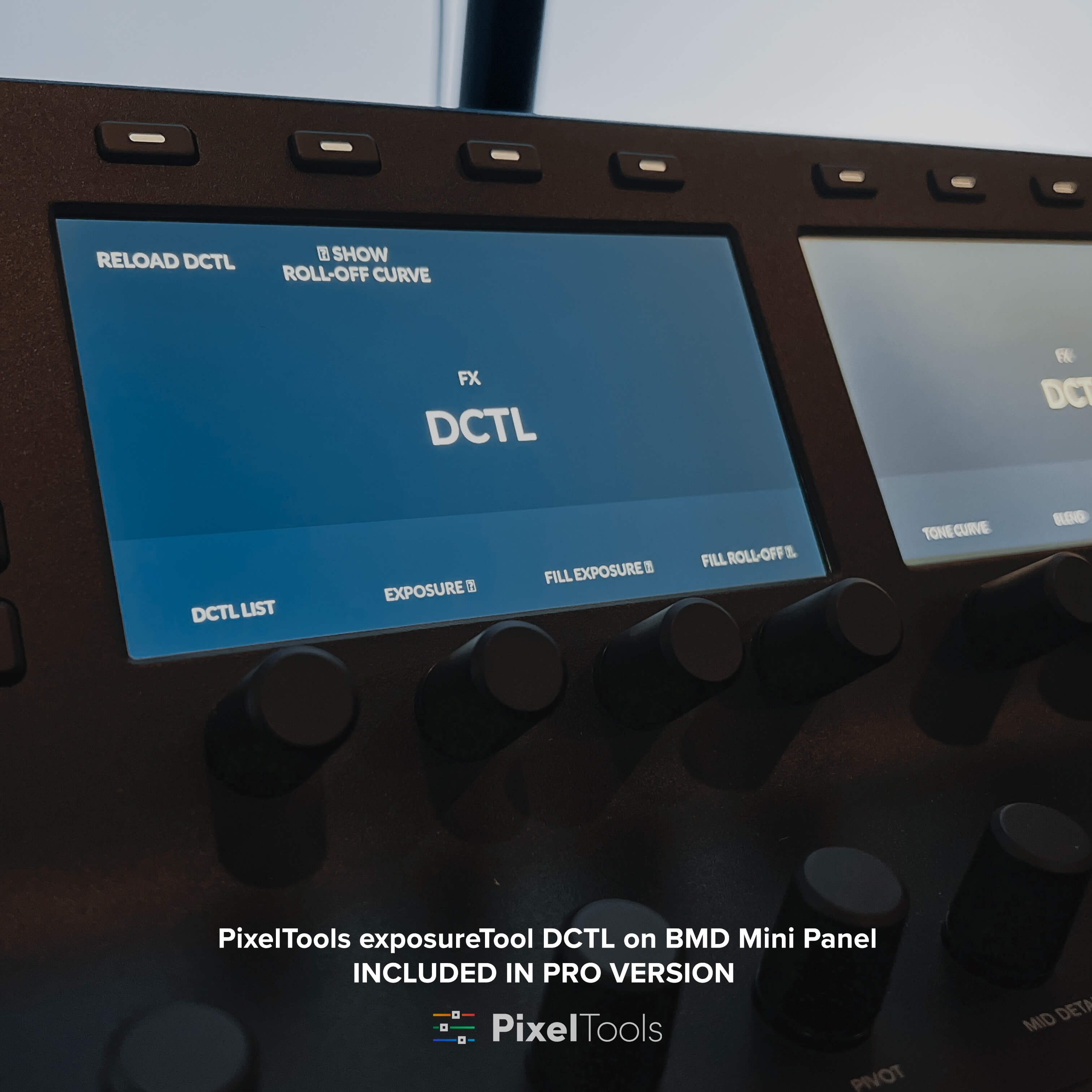
This is so much better than the limitations inherent with the HDR Exposure dial on my panel. Having access to exposure level, fill exposure, fill roll-off, and being able to see the fill curve is a great addition. Another thing that speeds things up are the PowerGrades that you can pull over with various preset stops +/-. With Live Preview engaged, you can roll across the Powergrades and find a nice starting point. It might be nice to have .25 +/- stops in the future, but that would be my only suggestion, and you can make a .25 stop version yourself in seconds. It’s now in my standard node tree. Nice work, PT.

Thanks for the great feedback, Scott!
Handy tool to quickly dial in photometric exposure. Love the roll-off feature for the fill portion. My favorite workflow is to pair it with the filmic contrast DCTL, jumping back and forth between the two, shaping the image as necessary.
Great tool, for me personally fill exposure is a life-saver! Works great in multiple working spaces (both display-referred and scene-referred workflow)
If you think you have a good grip of light control, this takes your experience to the next level. Even to quickly adjust the ranges between your keylights and your fill and be able to watch how your dailies work under your different light situations.
I'm new to this level of color grading\correction. Based on a lot of YouTube videos which speak highly of this product and me adding it to my current workflow I'm liking it. Thanks again!!!
PixelTools’ Exposure/Tool DCTL has become a reliable go-to in my grading workflow. Its exposure behavior feels natural and film-like, reacting more like a camera than a typical lift/gamma/gain adjustment. That predictability helps me get to a clean, balanced starting point quickly without fighting the tools or introducing unwanted color shifts.
It has also made my workflow noticeably faster and more efficient. I can match shots with less effort, handle mixed lighting more gracefully, and focus on the creative side instead of technical correction. The precise, smooth exposure control is easily my favorite feature — a small addition that genuinely improves the overall grading experience.
This DCTL can easily adjust my image to a proper exposure.
I love it and so easy to use
Muy fácil de usar, la forma más rápida de corregir la exposición de los clips sin tener que usar las ruedas de correcciones. recomendado para quienes buscar acelerar el proceso de coloración.
This has been a great tool to have. It’s nice to have the fill and rolloff slider. Brings together a few tools into one so it’s made my grading process more efficient!
I recently purchased the Exposure/Tool™ DCTL from PixelTools and couldn’t be happier with it. This plugin has become a valuable part of my color grading workflow in DaVinci Resolve. It gives me precise control over exposure adjustments with beautiful roll-off and zero banding, especially in the highlights and shadows.
What really impressed me is how clean and natural the results look—much better than using the standard HDR wheels or primaries. It’s thoughtfully designed, easy to use, and incredibly responsive. The included PowerGrades are also a nice bonus and help speed things up.
If you’re looking for a high-quality exposure tool that’s both powerful and intuitive, this DCTL is well worth it. Highly recommended!
Helps get things off to a solid start. It makes me happy. I like it.
The dctls have sped up my work flow tremendously!
This Exposure Collection is excellent for video editors looking to enhance their footage, especially newbie like me. It is simple and straight forward, very easy to incorporated into workflow. This tool saves time and delivers professional results. Highly recommended for elevating video quality.
One of the first nodes on my powergrade.
This exposure tool is very precise and gives You the ability to fine tunning the shaddows while mantaining the contrast and the colours. No artifacts and beatyfull Roll off.
Another great tool from PixelTools that makes color grading easy: speed, control and error-free are the key words for me.
an easy to use, reliable and well organised set of tools.
I was really impressed with PixelTools Exposure Collection as it made our D.P.’s vision pop more to life. We plan to use this collection on more of our feature films going forward and will out out for their other releases!
Hueshift is a hugely useful tool. I use it in almost every shot. Very stable and effective, easy to use. Heavily recommended.
Good and easy to use
nice result and easy to use
I have a number of Pixel Tools. Each one does its job and it does it well.
The best with PixelTools is that it show me the possibilities and provides me with a proper way of doing them.
really easy to review, simple and powerful dctl...
Buy With Confidence
Professional tools, backed by a fair and transparent guarantee.
Our 7-Day Satisfaction Guarantee
Try PixelTools in your real-world workflow. If it’s not the right fit, we’ll help you get the most out of it. And if it still doesn’t match your needs, you’ll receive store credit to choose another PixelTools tool that better fits your workflow.
Built by Working Colorists
Trusted by 30,000+ Professionals
Fair, Transparent Exchange Policy