


Split/Tone™ DCTL Plug-In – Pro Version
“Split/Tone has significantly enhanced my grading workflow. It offers a comprehensive suite of tools that simplify and expedite the grading process.”
Individual license, for productions with budgets up to $5 million USD. Studios and larger productions: see Studio licensing.
COMPLETE THE WORKFLOW
Test it in your own project before you buy.
The easiest method to create split-tone looks, period.
New to DCTLs? See our complete guide to DCTLs in DaVinci Resolve.
 Pro Upgrade
 Pro Upgrade
 Demo Version
 Demo Version
 Product Updates
 Product Updates



Basic or Pro
Choose by the work you do
I built Split/Tone™ because every split tone I pushed through the log wheels leaked into the neutrals, and curves are finicky. You choose where it takes hold in the saturated colors while background walls, sheets and cycs stay neutral and the split reads like it was in the negative instead of something done in the DI.
Shadows and highlights get their own amount, repeatable shot to shot, so it lands exactly where you want it, barely there or as far as the shot will take.
Pick your edition below, or run the free demo on your own footage first.
Choose Basic when
You want a split tone you set by eye as a shadow and highlight tint, and one
plug-in covers it. RGB Basic is that tool.
Choose Pro when
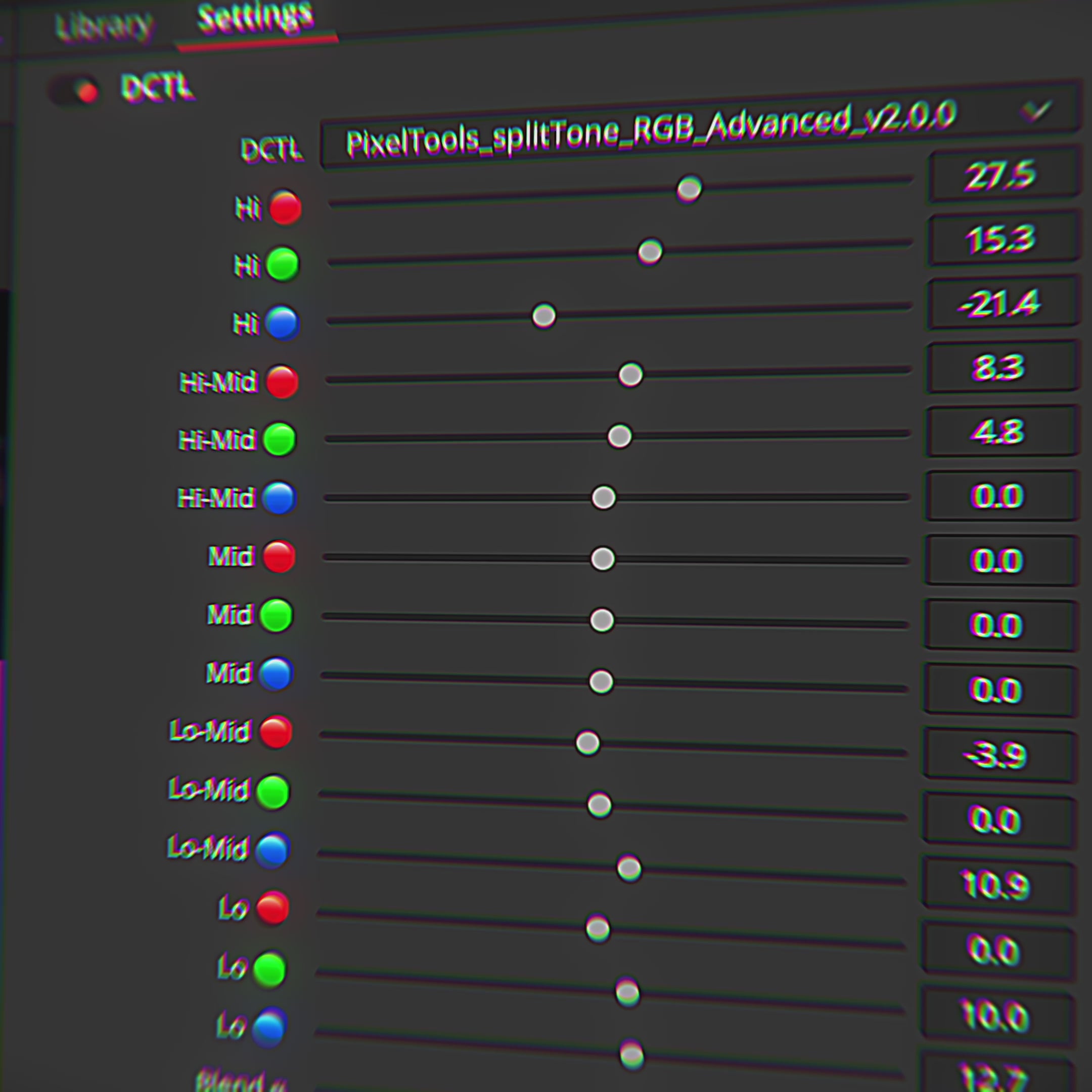
You need to pick the exact hue the split lands on, or shape where it lands across five zones. Pro adds the Hue modes and the Bezier precision controls.

Compatible with
Color Managed Workflows
Split/Tone™ seamlessly integrate with Resolve Color Management (DaVinci Intermediate) and ACES workflows, ensuring accurate and consistent color management throughout your entire post-production pipeline.

Work Faster Using
Blackmagic Control Surfaces
Split/Tone™ integrates seamlessly with Blackmagic Mini and Advanced Control Surfaces, enabling quick adjustments without disrupting your current grading workflow or established muscle memory.
Choose your version.
See why 91% of artists choose the Pro version.
What's included
- 1 Custom DCTLe Plug-in — Split/Tone RGB Basic
- 1 Alternate "No Icon" DCTLe — for control surface users
- 1 PowerGrade DRX File — workflow-ready node structure
- User Guide PDF — setup and usage documentation
- Lifetime License — one-time purchase, no subscriptions
- Free Updates — ongoing refinements to existing tools
- Bezier Curve Precision Controls — precision control across 5 zones
- Hue-Based Split-Tone Modes — precise hue selection for targeted tinting
- 3 Additional Advanced DCTLe Plug-ins — RGB Advanced, Hue Basic, Hue Advanced
Included DCTL Plugins
1 plugin — S-Curve split-tone control
RGB Mode — S-Curve
- Split/Tone RGB™ Basic.dctle
Fast, efficient tinting of two regions of the curve: highlights and shadows.
Pro Only
- Split/Tone RGB™ Advanced.dctle
- Split/Tone Hue™ Basic.dctle
- Split/Tone Hue™ Advanced.dctle
One-time purchase. No subscriptions.
What's included
- 4 Custom DCTLe Plug-ins — RGB Basic, RGB Advanced, Hue Basic, Hue Advanced
- 4 Alternate "No Icon" DCTLe Files — for control surface users
- 4 PowerGrade DRX Files — workflow-ready node structures
- User Guide PDF — setup and usage documentation
- Lifetime License — one-time purchase, no subscriptions
- Free Updates — new tools and refinements included for life
- S-Curve and Bezier Curve Modes — fast tinting and precision control
- RGB and Hue-Based Split-Tone Modes — full creative flexibility
Included DCTL Plugins
4 plugins — S-Curve and Bezier precision across RGB and Hue modes
RGB Mode — S-Curve
- Split/Tone RGB™ Basic.dctle Basic
Fast, efficient tinting of two regions of the curve: highlights and shadows.
RGB Mode — Bezier
- Split/Tone RGB™ Advanced.dctle
Greater precision with additional controls for fine-tuning throughout the dynamic range.
Hue Mode — S-Curve
- Split/Tone Hue™ Basic.dctle
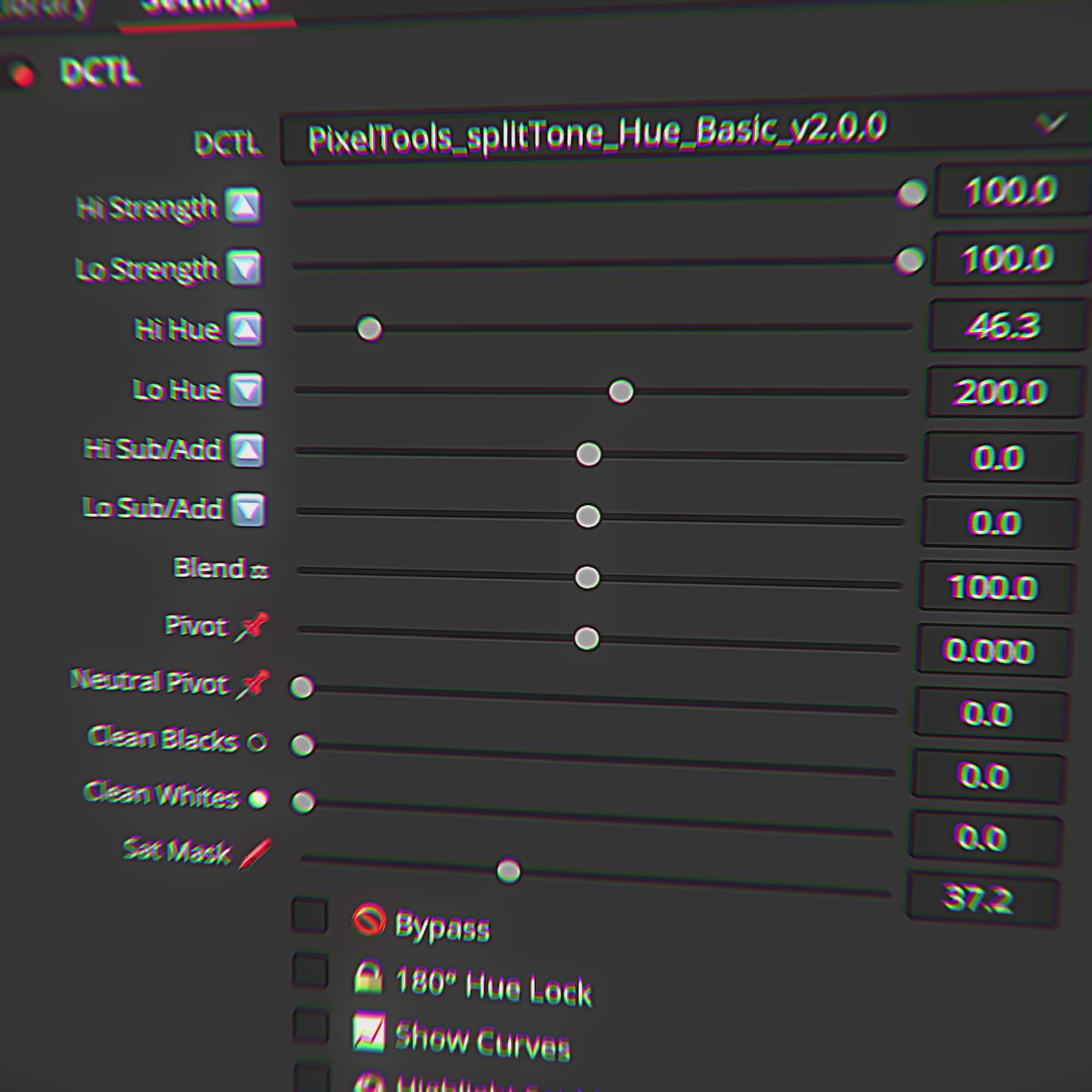
Precise hue selection for targeted split-tone tinting of highlights and shadows.
Hue Mode — Bezier
- Split/Tone Hue™ Advanced.dctle
Full hue control with Bezier precision across the entire dynamic range.
One-time purchase. No subscriptions.
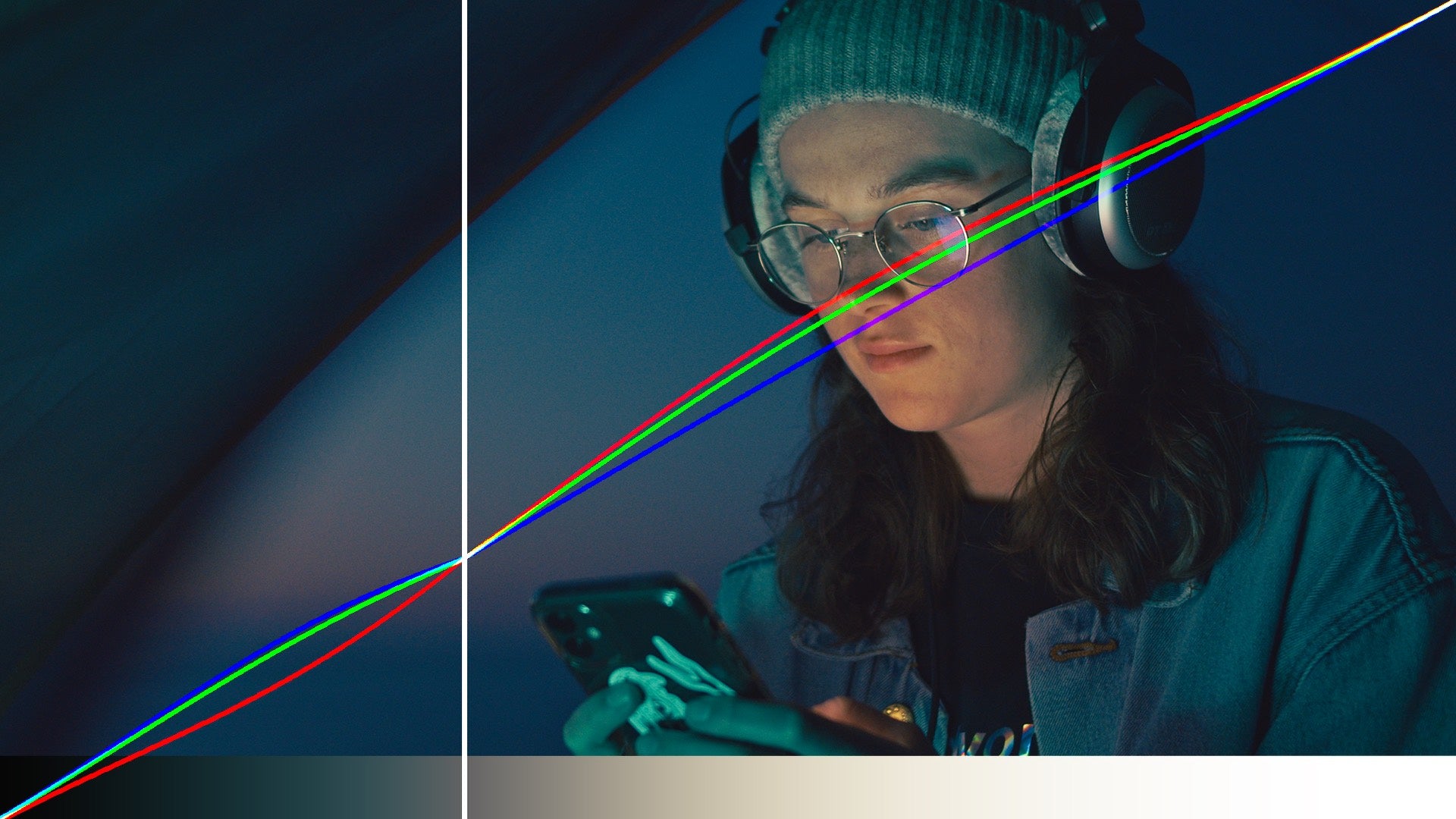
Example of Split/Tone™

No Color Grade

Split/Tone Applied

No Color Grade

Split/Tone Applied

No Color Grade

Split/Tone Applied
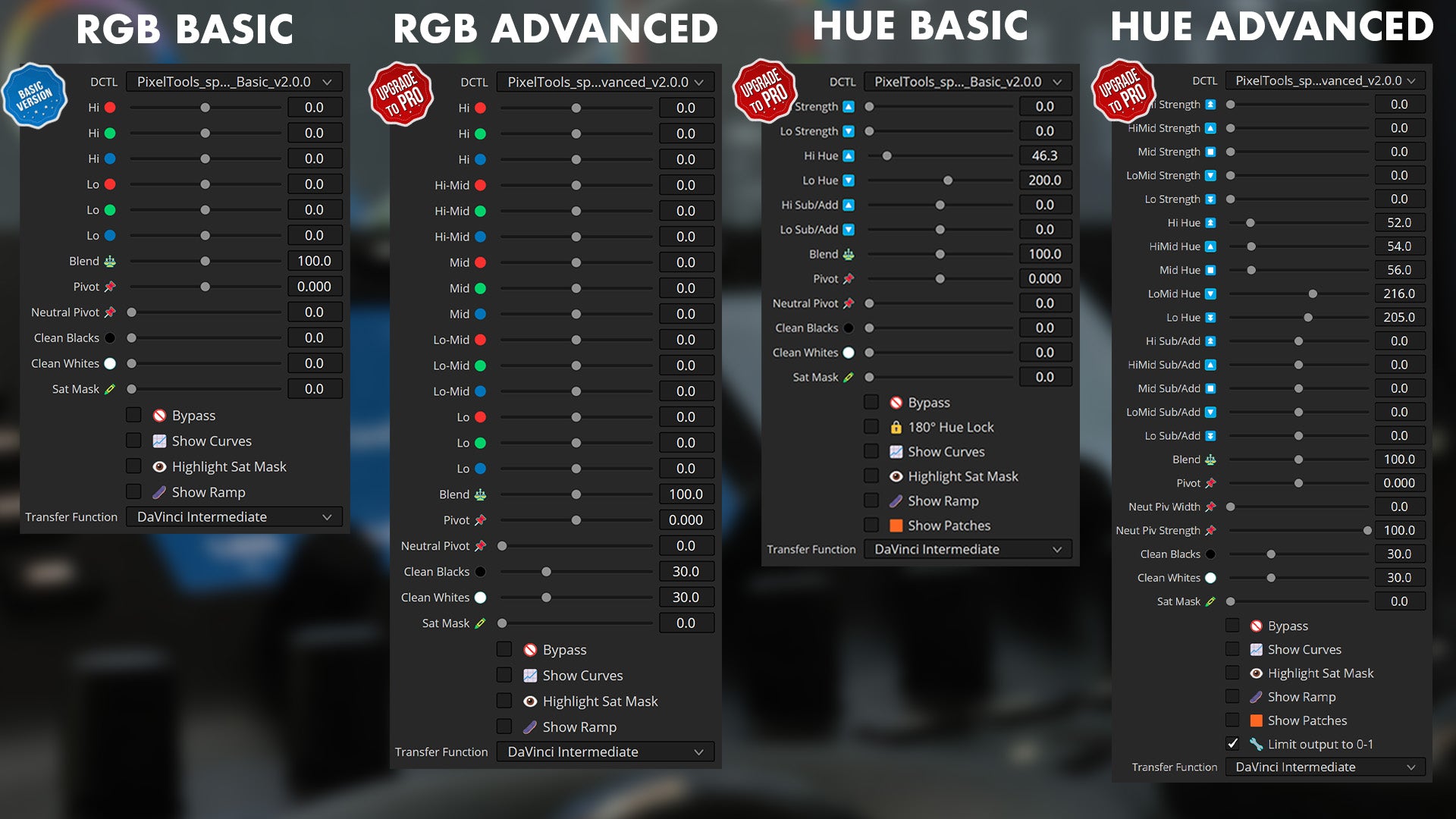
Four separate DCTLs. Four nodes.

RGB model, the core three-way split.

RGB Advanced. Per-zone range and falloff. (Pro)

Hue model, tint by hue.

Hue Advanced. Finer hue and zone control. (Pro)
Split/Tone™
Split-Toning in Two Color Models
Split/Tone™ is a split-toning DCTL for DaVinci Resolve. It separates the image into shadows, midtones and highlights and lets you tint each range on its own, so you can warm the highlights and cool the shadows without pulling the whole grade off balance.
It works two ways. The RGB model tints by color channel. The Hue model tints by hue, which holds skin and sky where you want them while the rest of the frame shifts. Basic covers the core split. Pro adds the Advanced controls in each model for finer zone and falloff work. Both run in DaVinci Wide Gamut Intermediate and use the same Transfer Function list as the rest of the PixelTools line.
Split/Tone™ DCTL — Frequently Asked Questions
What is the Split/Tone™ DCTL?
Split/Tone™ is the most direct way to build split-tone looks in DaVinci Resolve — shaping the color of your highlights and shadows independently with real control, not a one-click preset. It integrates with Resolve Color Management (DaVinci Intermediate) and ACES, and works with Blackmagic Mini and Advanced control surfaces.
What's the difference between Basic and PRO?
Basic includes one Split/Tone™ DCTL plug-in, an alternate “No Icon” version and a PowerGrade. PRO is the full set of four DCTLs — SplitTone RGB Basic, RGB Advanced, Hue Basic and Hue Advanced — each with a “No Icon” alternate and its own PowerGrade, so you can split-tone in either RGB or hue space at basic or advanced depth.
Do I need DaVinci Resolve Studio?
Yes. Split/Tone™ is a DCTL, and DCTL plug-ins run only in DaVinci Resolve Studio — they aren't supported in the free edition.
How do I install it?
Installation is handled by the free PixelTools installer app: download it, run the installer, and Split/Tone™ is placed in the correct Resolve folder automatically.
Can I try Split/Tone™ before buying?
Yes. A free Split/Tone™ demo is available to load into your own footage before buying.
Is it a one-time purchase or a subscription?
A one-time purchase with free updates — no subscription.
I am buying for a facility or a production over $5 million. Is this the right license?
The price on this page is the Individual license: one colorist, your own machines, productions with budgets up to $5 million USD. Facilities, teams, and bigger productions need Studio seats: the same grading features, with PO invoicing, priority support, and offline activation today, plus floating seat management delivered within 12 months of purchase. See Studio licensing.
Este dctl hace aún más rápida mi coloración, lo que antes tomaba mucho tiempo ahora lo puedo hacer con tan solo unos cuantos clicks!.
recomendado para quienes buscan hacer la coloración de videos mas rápida profesional.
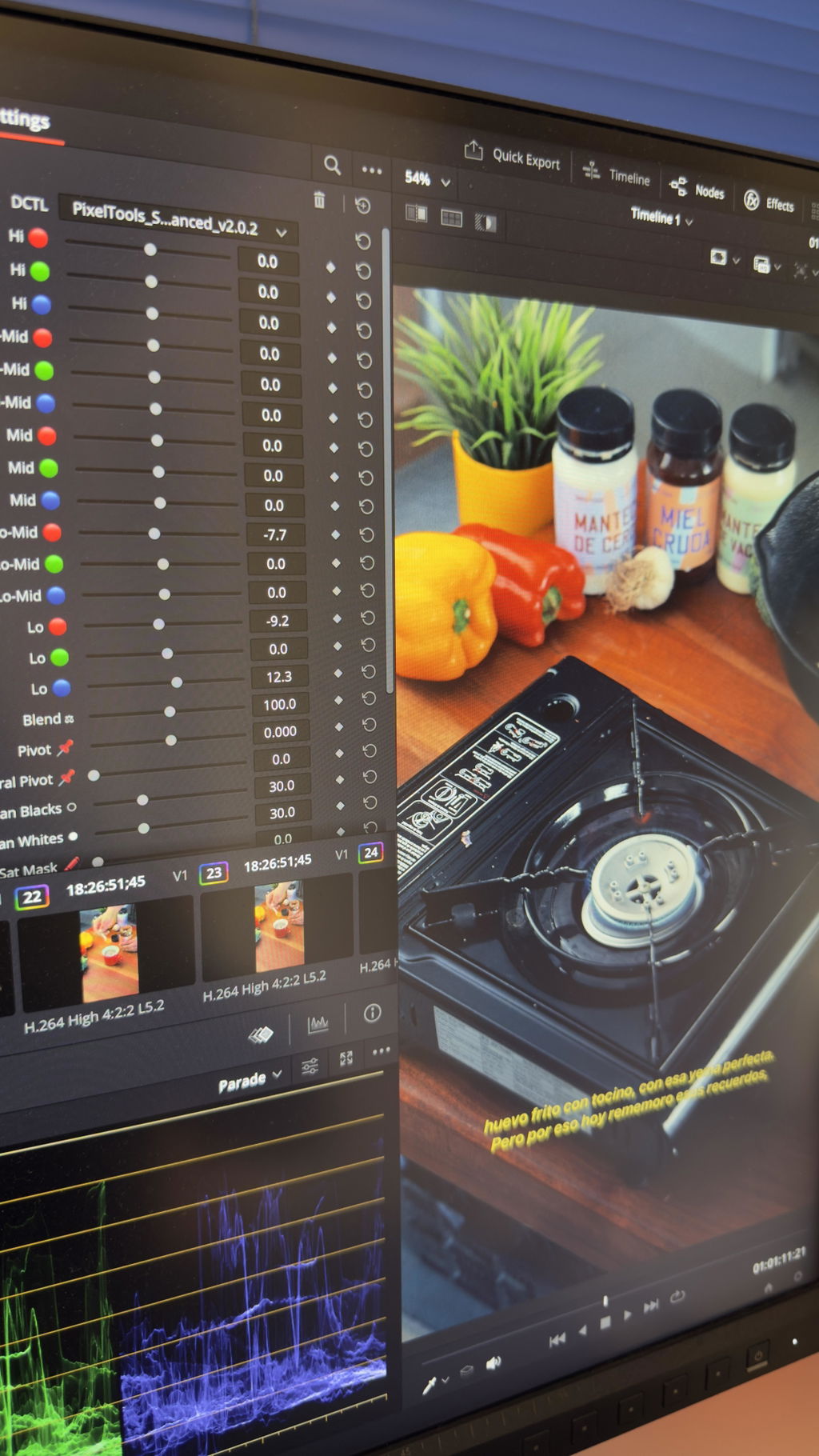
I use the rgb advanced version as it has more control and I can fine tune the results. Easy to understand and to use, with great results so far. I used the resolve curves, and it lacked the subtle effects that I can easily achieve with this tool. Totally user error, but this tool helps me achieve the results I want faster.
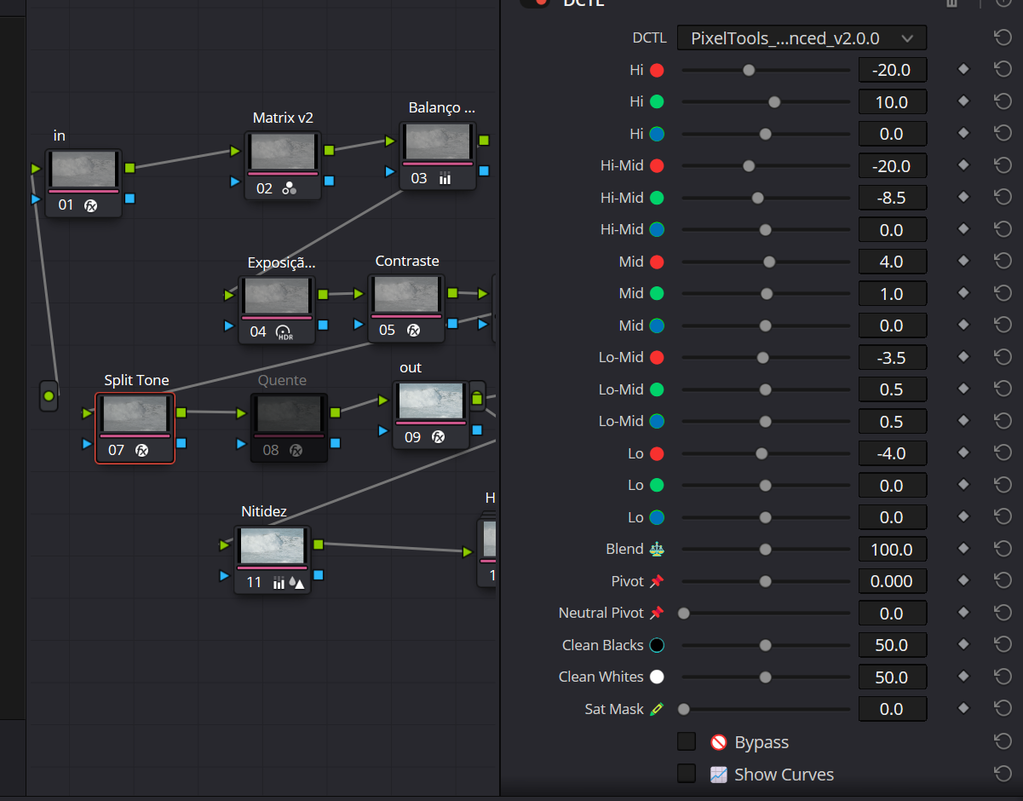
It's undoubtedly the best plug-in I've ever used

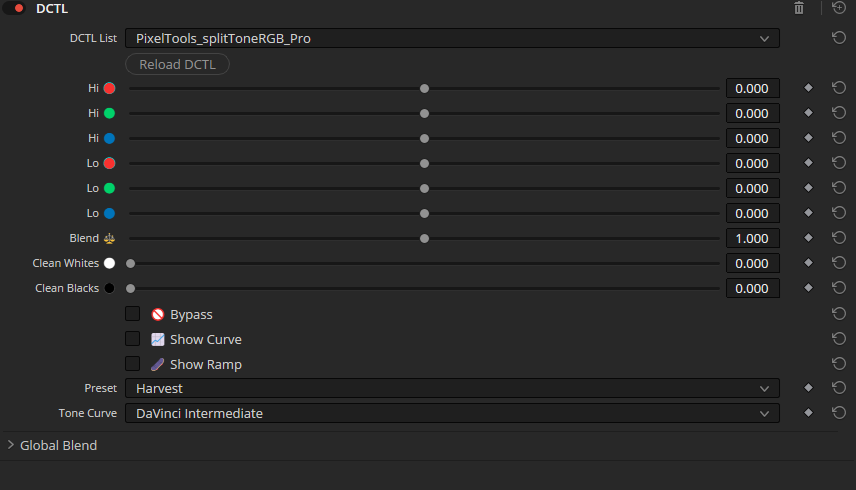
This DCTL is really Helpful, especially with presets, I like harvest preset.
Highly recommend very useful tools.

I Love this DCTL. Its very intuitive and saves me a bunch of time that I would normally spend using curves to get a similar result.

High quality and convenience As usual with Pixel tools
I've enjoyed the simplicity of the basic version. It's an extremely capable DCTL and it's a definite value-add for my node tree moving forward.
A very intuitive tool for adding subtle color separation and tonal refinement. It offers excellent control while remaining fast to use, making it easy to enhance mood and depth without overcomplicating the grading process. A valuable addition to any colorist's toolkit.
Split/Tone™ has become one of the most useful DCTLs in my grading workflow. It helps me separate tones and shape color contrast in a much more natural and controlled way compared to using standard Resolve tools alone. The interface is clean, fast, and easy to experiment with creatively.
What I like most is how quickly I can build a cinematic look without fighting the image. It speeds up my workflow a lot, especially during look development and balancing skin tones against the environment. The results feel organic and filmic rather than overly processed.
I also appreciate how smoothly it integrates into a professional node tree. It’s one of those tools that quietly becomes essential once you start using it regularly.
I just like pixel tools dctl's and monoNodes dctl's
Ce DCTL m’a beaucoup aidé pour aller plus rapidement dans mon étalonnage. Il est simple d’utilisation avec énormément de fonctions! Je ne regrette pas mon achat et je le recommande pour tout ceux qui hésite.
I used to struggle to achieve good split toning. Especially with custom curves in DaVinci Resolve, it was always a bit complicated. With this split toning plugin, it's almost child's play to quickly and efficiently reach your goal. The plugin is divided into a basic and an advanced version; the basic version is usually sufficient, but sometimes you want to go into more detail, and the advanced version offers many more options. There are RGB and hue versions, so you're perfectly equipped for split toning and no longer have to deal with custom curves. The DCTL plugin also displays the highlights and the curve, which visually shows you what you're doing. An absolutely fantastic plugin that I wouldn't want to be without. I've integrated it permanently into my color grading workflow.
It's ideal for beginners, of course, but it also saves time in commercial settings. We're making effective use of it.
I wasn’t sure I needed yet another split toning tool (there are already several available in Resolve) but then decided to give the demo a try and I don’t regret it : the results are simply better in terms of colors and you can refine every aspect of the split toning to your liking with ease. Beware that if like me you prefer to work with hues instead of RGB, you’ll have to get the pro version which gives you also much greater control to achieve the perfect split toning.
I was not aware the usefulness of such tool. The Split/Tone DCTL Plug-In allows you to make creative decisions in a breeze, facilitating the implementation of key aspects of color correction. Powerful tools to actually fine-tune the subtle tensions between the colors that will live in the high/low light areas of your scenes.
Basic version is a little bit dissapointing.. For now I tried it on 8-bit footage and don't feel any huge advantage above film look creator which is included in Studio version of Resolve.
This is a great DCTL to get that cinematic split-tone effect. I dont always use split-toning but when I do this makes the process so simple. The ease and quickness of using this makes it well worth it. I could do some of this in resolve without the DCTL but being able to bring warm highlights and cooler shadows so quickly makes this worth the money.
The split toning DCTL makes a usually difficult process, much easier. I like the fine controls so that I can really dial in my image.
If you need better and easier split / toning, this is the tool.
The easiest and quickest way to gain complete control over color. There is no limit to what can be accomplished here. Use on every grade.
Split Tone Pro is one of my favorite DCTL.
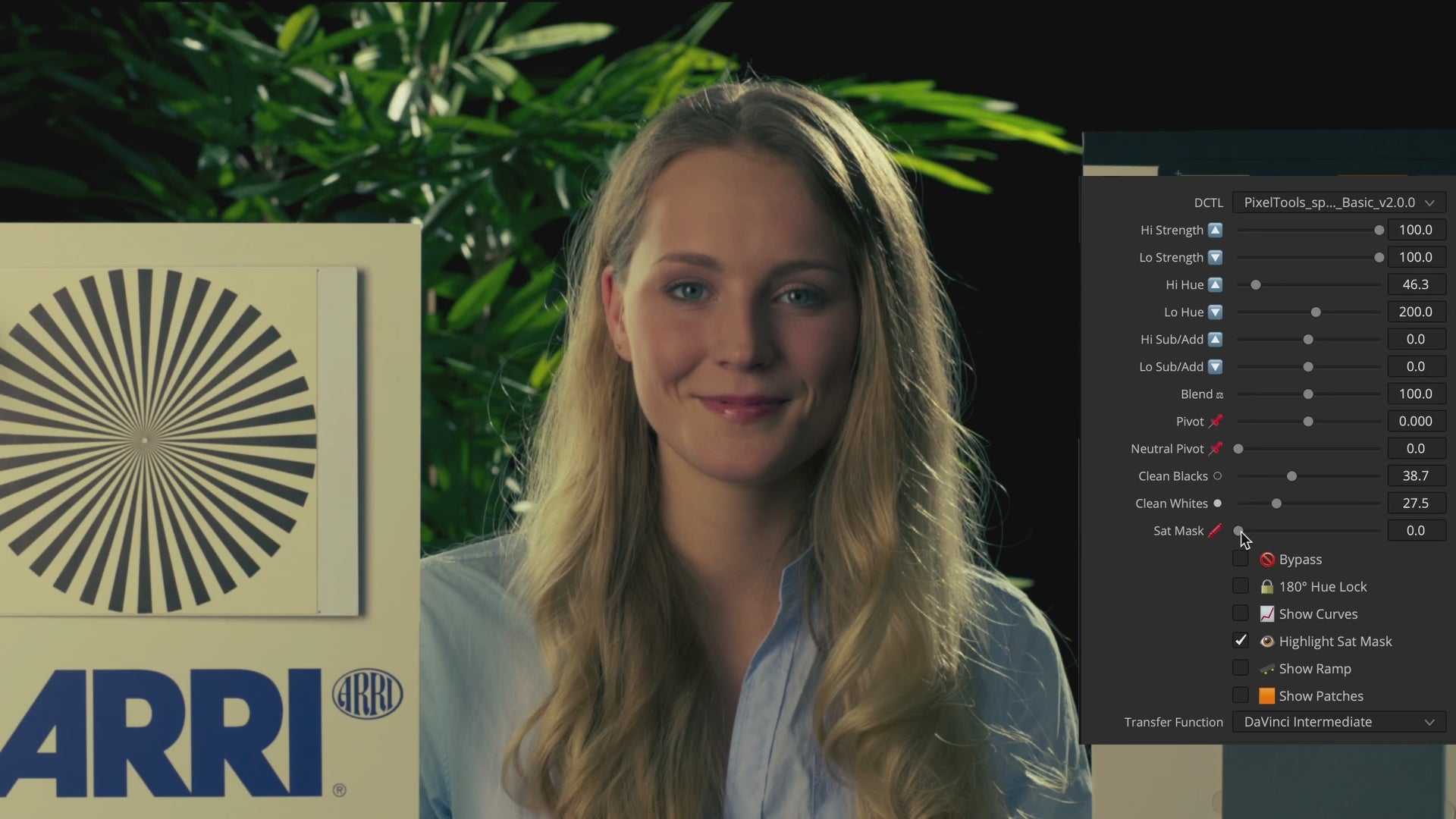
Whenever I need to create split toning in look development, I usually rely on Split/Tone DCTL. I find it's much faster compared to the traditional route of drawing my own RGB custom curves and the DCTL has a fantastic integration with my Mini Panel. Additionally, I feel that dialing in the exact hue you wish to introduce and previewing it with the patches is a huge time saver rather than finding the right balance between RGB. Overall, it's a fantastic tool and I would wholeheartedly recommend it.
Did my due diligence and shopped around. Decided to purchase the pro version as, although I use the basic version for most grades, there are times when I’m designing a look when I need to finesse certain bands like a graphic equaliser and the pro hue or RGB DCTLs are what I’ll reach for. Would love to see some way to shift the scope of each band or pinch the sharpness (again, like a graphic equaliser), but overall this pack was a fantastic investment.
The overlays such as the curves and patches are indispensable, but I’ve noticed they sometimes come into conflict with other DCTLs or plugins depending on where they are in the node tree. Finally, one minor gripe is that the lines of the curve overlay are just too thick when I’m trying to really understand how much I’m finessing a band.
Solid four stars. Destined for five in a future update, I’m sure, and it’s still the best of all the split tone DCTLs I’ve found.
até agora foi uma excelente aquisição, to adorando a interface, é tudo intuitivo, muito fácil de ser fazer, agregou muito na minha colorização, e também facilitou muito!
I’ve tried, and bought, many variations on this approach. What is it about split-toning plugins that they’re like the equivalent of analog compressor plugins for Logic or ProTools (or inexpensive vintage 50mm SLR lenses on eBay)? I.e., one can’t have too many! 😂 This is probably my favorite. Everything you need, nothing you don’t. I typically make the same split, or very minor variations, almost every time, so I just saved it as a PowerGrade. Now my personal split-toning is never more than a click away ;). Seriously though, props to Kaur and the PixelTools team for boiling this (arguably) essential function down to its bare, utilitarian necessities and making a true artist’s tool. Gets the job done — fluidly and flawlessly — every time. 👍
Very simple, easy and intuitive tool. First choice over resolve's tools since you can put all your focus on your creative intent rather than toiling your way through the usage the tools. Similar to Contour's split tone module but with more specialized and developed options.
Very straight forward DCTL with stunning results. Easy to use interface, love the curves display. Updated to PRO version quickly to have more control over the curve. This would be much more tedious to do the old fashioned way. This has been a big time saver for me!
Buy With Confidence
Professional tools, backed by a fair and transparent guarantee.
Our 7-Day Satisfaction Guarantee
Try PixelTools in your real-world workflow. If it’s not the right fit, we’ll help you get the most out of it. And if it still doesn’t match your needs, you’ll receive store credit to choose another PixelTools tool that better fits your workflow.
Built by Working Colorists
Trusted by 30,000+ Professionals
Fair, Transparent Exchange Policy