


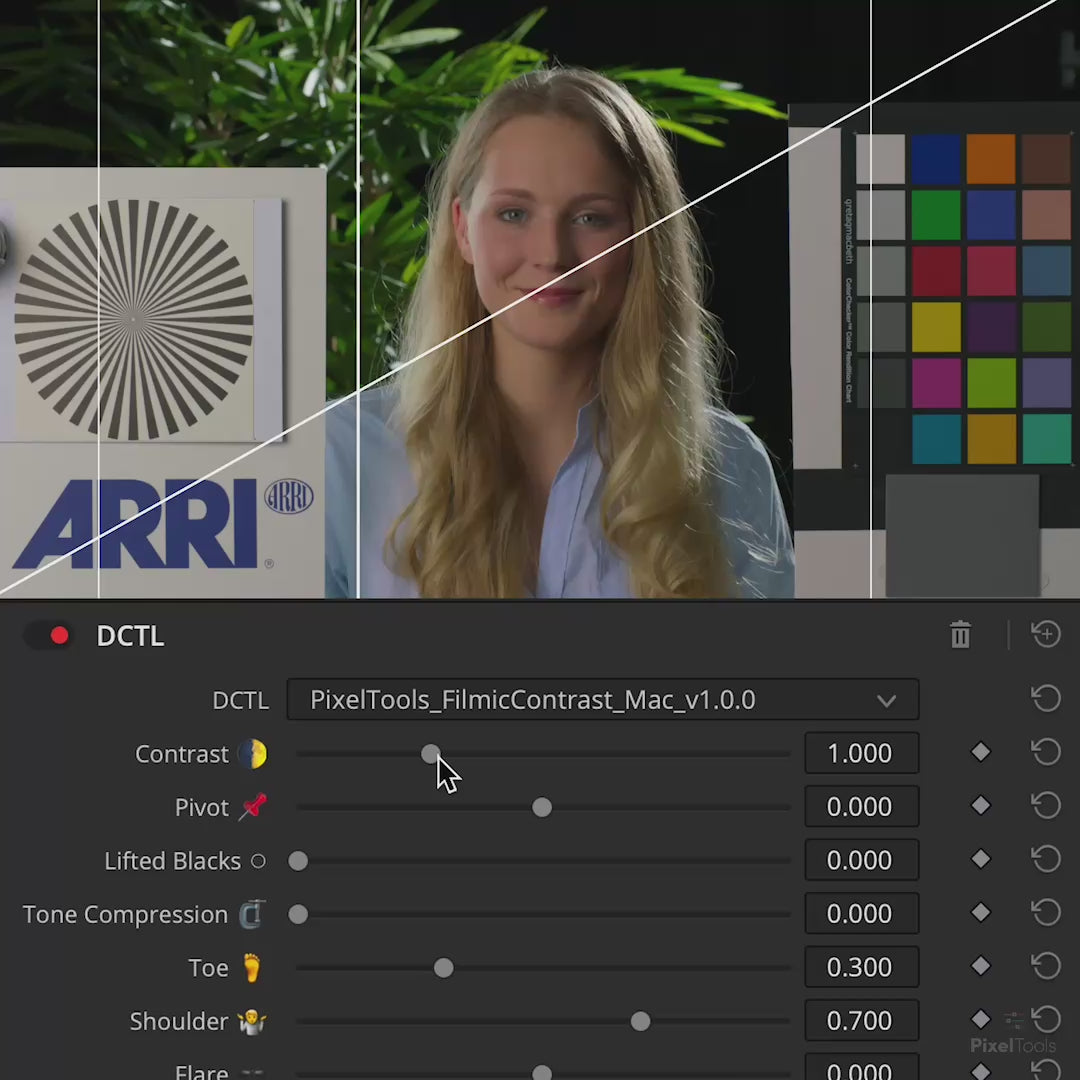

Filmic/Contrast™ DCTL Plug-In
Film-inspired contrast curves for DaVinci Resolve
“I've used many different methods for contrast in Resolve, and this is my favourite by far. Precise, intuitive, and filmic. Couldn't recommend more!”
Individual license, for productions with budgets up to $5 million USD. Studios and larger productions: see Studio licensing.
COMPLETE THE WORKFLOW
Test it in your own project before you buy.
Crafting a signature filmic tone curve has never been easier.
 Demo Version
 Demo Version
 Product Updates
 Product Updates



Real Reviews from Working Professionals
Fahd H.
A very intuitive approach to contrast adjustments
What I really love about this tool is that, even though its curve operation is more 'controlled' than DR's native contrast curve, it allows you to achieve far more targeted and aesthetically pleasing results. Being able to dial in your contrast curve for precise adjustments and direct comparisons, without the risk of shifting your middle-grey point, makes it an invaluable DCTL for look development and fine-tuning overall contrast.
Kai L.
Fantastic, clear and beautiful contrast tool
I've used many different methods for contrast in Resolve, and this is my favourite by far. Precise, intuitive, and filmic. Couldn't recommend more!
Anthony C.
Fast Film Contrast
Never thought I needed a tool like this, but I dig this plug-in. It allows me to view various contrast options quickly so there's no more wondering if the changes are too much or too little. I can dial in the right amount for deep blacks or shape it to my liking to achieve a different look. Easy recommend!
Louis V.
A must in my workflow
I've been using filmic contrast on all my projects for the past few months. The visualization it gives you in adjusting your curve along with all the tools and tips for improving your skillset is invaluable. It's helping guide me to know what I'm doing and why it is affecting things rather than haphazardly adjusting sliders.

Stop struggling with curves
Add an analog touch to your digital workflow
Filmic/Contrast™ lets you quickly recreate the timeless feel of analog film by designing a custom contrast curve with soft, smooth highlights and gently lifted shadows.

Filmic/Contrast™
A Film Contrast Curve, In One Node
Filmic/Contrast™ is a contrast DCTL for DaVinci Resolve. It builds a film-style tone curve in one node: soft, rounded highlights, a gentle lift in the shadows, and contrast you set yourself.
Lifted Blacks gives you matte shadows without touching the curves. A greyscale ramp and on-screen overlays show every adjustment as you make it. Five PowerGrades ship with it (Modern, Soft Film, ENR Bleach, Kodak 2383, Fuji 3510) as starting points.
It runs in DaVinci Wide Gamut and drops into ACES, RCM and CST workflows. DCTL only, so it needs DaVinci Resolve Studio.

Compatible with
Color Managed Workflows
Prime/Grade™ seamlessly integrate with Resolve Color Management (DaVinci Intermediate) and ACES workflows, ensuring accurate and consistent color management throughout your entire post-production pipeline.
Filmic/Contrast Examples

Ungraded Rec709

Kodak 2383 Contrast Curve

Ungraded Rec709

Fuji 3510 Contrast Curve
Buy With Confidence
Professional tools, backed by a fair and transparent guarantee.
Our 7-Day Satisfaction Guarantee
Try PixelTools in your real-world workflow. If it’s not the right fit, we’ll help you get the most out of it. And if it still doesn’t match your needs, you’ll receive store credit to choose another PixelTools tool that better fits your workflow.
Built by Working Colorists
Trusted by 30,000+ Professionals
Fair, Transparent Exchange Policy
Filmic/Contrast™ DCTL — Frequently Asked Questions
What is the Filmic/Contrast™ DCTL?
Filmic/Contrast™ lets you quickly recreate the timeless feel of analog film by designing a custom contrast curve with soft, smooth highlights and gently lifted shadows — a signature filmic tone curve without fighting Resolve's curve tools. Built for colorists who want an analog touch in a digital workflow.
What's included?
A scene-referred “Modern Curves” engine as a foundation for any look or LUT, a “Lifted Blacks” control for instant soft, matte shadows, and five curated drag-and-drop PowerGrade curves — Modern, Soft Film, ENR Bleach, Kodak 2383 and Fuji 3510 — as proven starting points. A visual greyscale-ramp UI shows every adjustment as you work, with full DaVinci color-management support.
Do I need DaVinci Resolve Studio?
Yes. Filmic/Contrast™ is a DCTL, and DCTL plug-ins run only in DaVinci Resolve Studio — they aren't supported in the free edition.
How do I install it?
Installation is handled by the free PixelTools installer app: download it, run the installer, and Filmic/Contrast™ is placed in the correct Resolve folder automatically.
Can I try Filmic/Contrast™ before buying?
Yes. A free Filmic/Contrast™ demo is available to test in your own footage first.
Is it a one-time purchase or a subscription?
A one-time purchase with free updates — no subscription.
I am buying for a facility or a production over $5 million. Is this the right license?
The price on this page is the Individual license: one colorist, your own machines, productions with budgets up to $5 million USD. Facilities, teams, and bigger productions need Studio seats: the same grading features, with PO invoicing, priority support, and offline activation today, plus floating seat management delivered within 12 months of purchase. See Studio licensing.
An amazing DCTL that allows more flexibility than the in built in tools in davinci. I use it in combination with the exposure DCTL to achieve a range of results with perfect highlight roll off, soft film looks, punchy gritty looks etc…the pivot in combination with the contrast slider makes it very easy to use. It also comes with presets which are very well done and produce great results if you’re in a pinch!
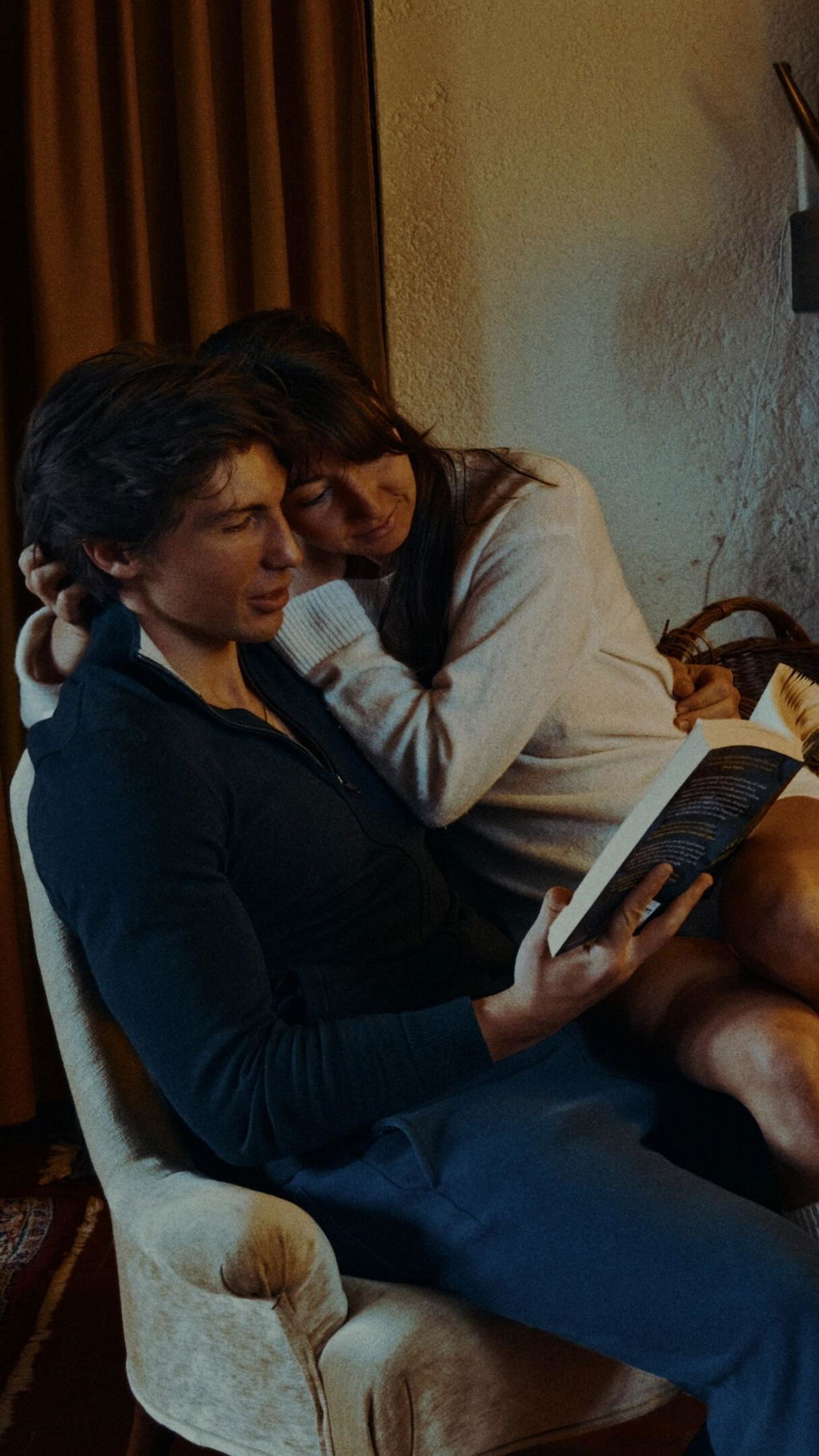
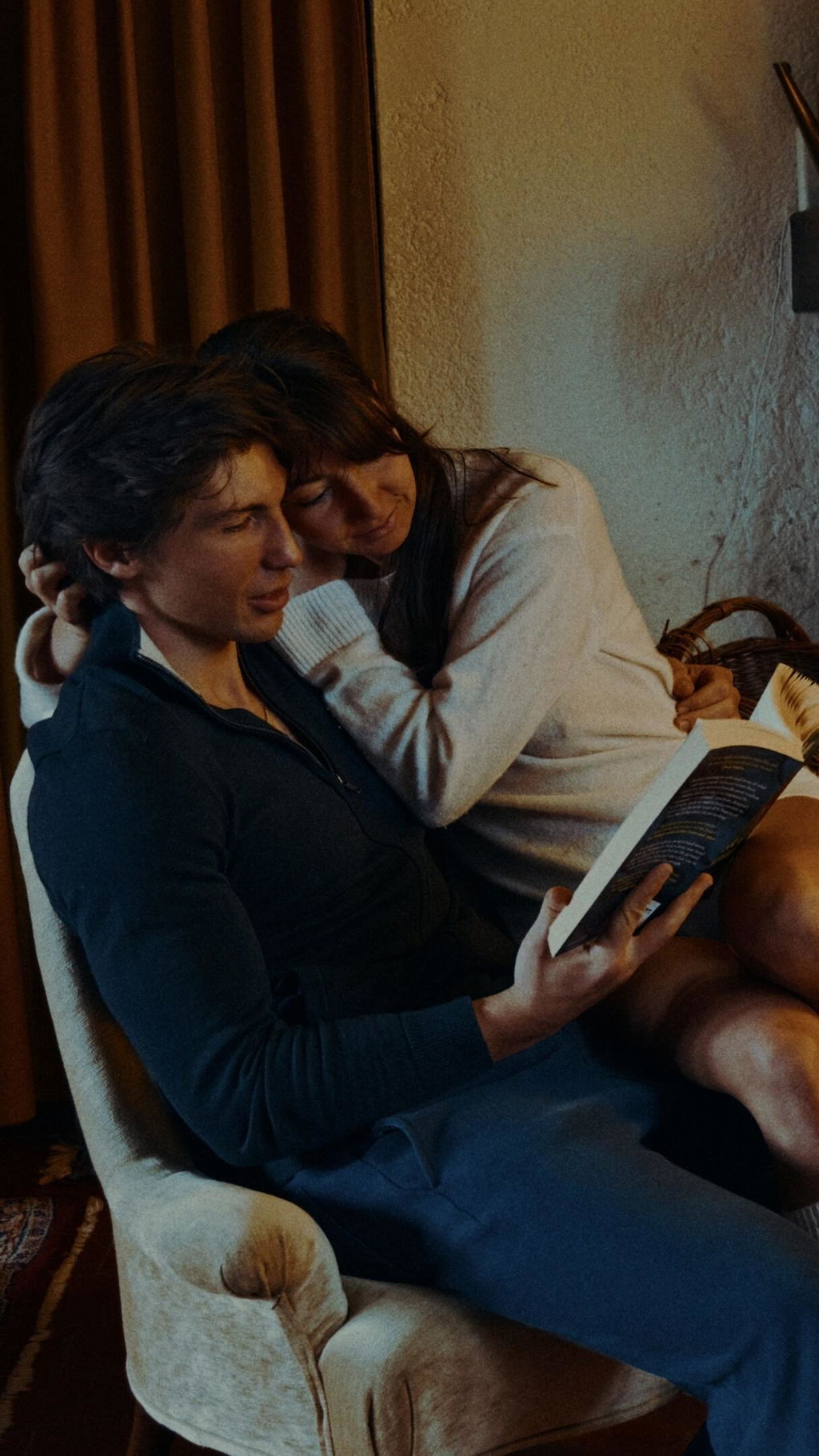
After buying prime/grade and the ease of using that dctl I deceided to buy Filmic contrast too. This gave me So much control over certain dark areas, absolutely mint. Very essay too use. It can be done in DR but not without watching tons of YT video’s. I love this dctl (too).
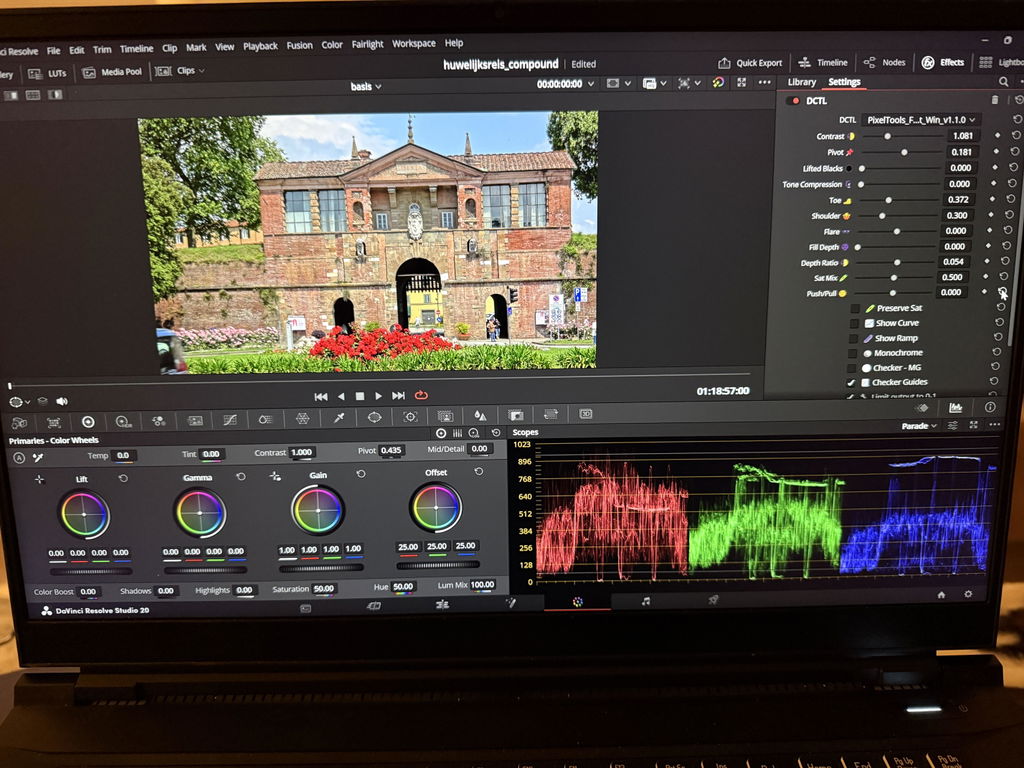
As always with pixel tools, this DCTL is effective and practical
Aveeyveasy to use and the results are outstanding
Filmic/Contrast™ delivers a pleasing, film-inspired contrast curve that helps create a more cinematic image with minimal effort. The controls are straightforward and produce natural-looking results that integrate well into a wide range of grading styles.
Really adore this tool. Very intuitive to shape the tonality of the image in a filmic way. This alone gives a nice cinematic feel to the image even without applying any film emulation yet. Was eyeing this for a while and I am glad I finally pulled the trigger. I love to smooth out the curve to get a graphically pleasing shape that's well rounded.
I really like this tool for dialling in overall contrast on the timeline level. It is so easy to tweak when you need to adjust. It will definitely be permanently in my node tree.
Filmic Contrast by Pixel Tools is a powerful asset for achieving professional-grade results. While traditional contrast curves are often time-consuming and easy to overdo, this tool provides maximum control to find the perfect balance for any shot. It effectively prevents the image from looking overstrained, ensuring a natural yet cinematic aesthetic every time. For beginners like me, it serves as an excellent gateway into a professional workflow, making complex adjustments intuitive and fast. This plugin is the ideal solution for anyone looking to elevate their visual storytelling with precision and ease.
pixel tools simply the best
The Filmic Contrast Plugin is awesome, easy to install, cpu friendly in davinci resolve, great results and i love how easy it is to get the results you are trying to archieve. Tried it on few projects and now it is my goto plugin for the contrast, easier than the custom curves in davinci resolve and quicker to get the contrast you are trying to get, my goto as the other pixeltools plugins we have in our production process
Very intuitive user interface and an excellent order of operations. The slider design taught me a lot about the nuances of contrast. Using this tool has made me much more precise in how I approach contrast,
and helped me understand how crucial a well-designed tone curve is to the foundation of an image.
What I really love about this tool is that, even though its curve operation is more 'controlled' than DR's native contrast curve, it allows you to achieve far more targeted and aesthetically pleasing results. Being able to dial in your contrast curve for precise adjustments and direct comparisons, without the risk of shifting your middle-grey point, makes it an invaluable DCTL for look development and fine-tuning overall contrast. I also love the fact they include PowerGrades for the tonal curves of the Kodak 2383 and Fuji 3510 print stocks.
Its a great tool, which makes things goes a lot faster
Never thought I needed a tool like this, but I dig this plug-in. It allows me to view various contrast options quickly so there’s no more wondering if the changes are too much or too little. I can dial in the right amount for deep blacks or shape it to my liking to achieve a different look. Easy recommend!
Awesome dctls . Wish they were a little more affordable though.
Awesome. Game changer.
I’ve been using the PixelTools Filmic/Contrast for a few weeks now, and I have to say — it’s absolutely phenomenal. From the moment I applied it to my footage, I could see a real transformation. The filmic contrast this plug-in delivers is simply beautiful: rich, deep blacks, smooth highlight roll-off, and that subtle midtone shaping that gives your image a cinematic depth you just can’t fake.
What really impressed me is how natural and organic everything looks. It’s not just “contrast” — it’s character. The plug-in enhances the image without feeling over-processed or artificial. Whether I’m grading a commercial piece, a narrative short, or just experimenting with looks, this tool gives me a solid foundation that instantly elevates my work.
Huge thanks to the team behind PixelTools — this plug-in has quickly become an essential part of my color grading workflow. Highly recommended to anyone who wants to bring a refined, cinematic edge to their footage.
Una tremenda adición a mi pequeño arsenal de dctl’s, haciendo aún más rápida mi coloración profesional, lo que antes tomaba mucho tiempo ahora lo puedo hacer con tan solo 3 clicks!.
Ansioso por probar los otros productos disponibles.
I’ve used many different methods for contrast in Resolve, and this is my favourite by far. Precise, intuitive, and filmic. Couldn’t recommend more!
Filmic/Contrast is a great tool for fine contrast adjust. I’ve been using it for a while now, when Kaur was releasing it. I do have a couple of ideas for a future version or even for another plugin: 1. It would be great to allow for negative black levels—meaning you can take the blacks down from 0.0. So if I’m not introducing contrast but would like to pull blacks down, it would be possible. 2. My other idea would be to have a transfer function with a stop-range slider. So, for example, you would select an Arri LogC3 transfer function and then move a slider to select how many stops/zones (2-15 stops/zones). So let’s say we select 10 stops. Then you would have +/- adjustment for each of the 10 stops. This would allow for extremely fine control of each stop and repeatability. Then I can dial in if I want -4 stops to be a little darker or +5 stops to be a little brighter, etc. It also would track accurately with the camera’s log curve because of the transfer function. I can do this with curves, but it is tedious and not accurate, so there is a lot of trial and error. Or if there’s ever a time when DCTL would allow for a graph interface, then you could just make a way better curves tool. Haha. Anyway, thanks for the cool DCTL.
I've been using it lots to shape my contrast curve. I love the fill depth and depth ratio in particular. It makes me happy, which is nice.
I've been using filmic contrast on all my projects for the past few months. The visualization it gives you in adjusting your curve along with all the tools and tips for improving your skillset is invaluable. It's helping guide me to know what I'm doing and why it is affecting things rather than haphazardly adjusting sliders.
PixelTools did it again! The Filmic/Contrast DCTL is an intuitive tool that I am incorporation permanently to my Node Tree! Once you learn its right use (its quite easy), you results are as expected, In addition, it is flexible enough to help unlesh your creativity.
Amazing!
Easy to use, good results.