

Exposure/Chart™ DCTL Plug-In
The Exposure/Chart™ DCTL plug-in is a powerful DCTL for image analysis, testing and look development.
Whether you’re developing a look or testing your grading pipeline, our Exposure/Chart™ DCTL can help you make faster, more informed decisions.
Enjoy our Chart Tools? They’re built right into Prime/Grade™ , our all-in-one primaries DCTL plug-in. You get powerful grading and analysis capabilities, all within a single node.
Learn the workflow in our guide to exposure and middle gray in DaVinci Resolve, part of our complete DCTL guide.


Compatible with
Color Managed Workflows
Works perfectly in RCM or ACES — simply select ACES or DaVinci Intermediate.

Exposure/Chart™
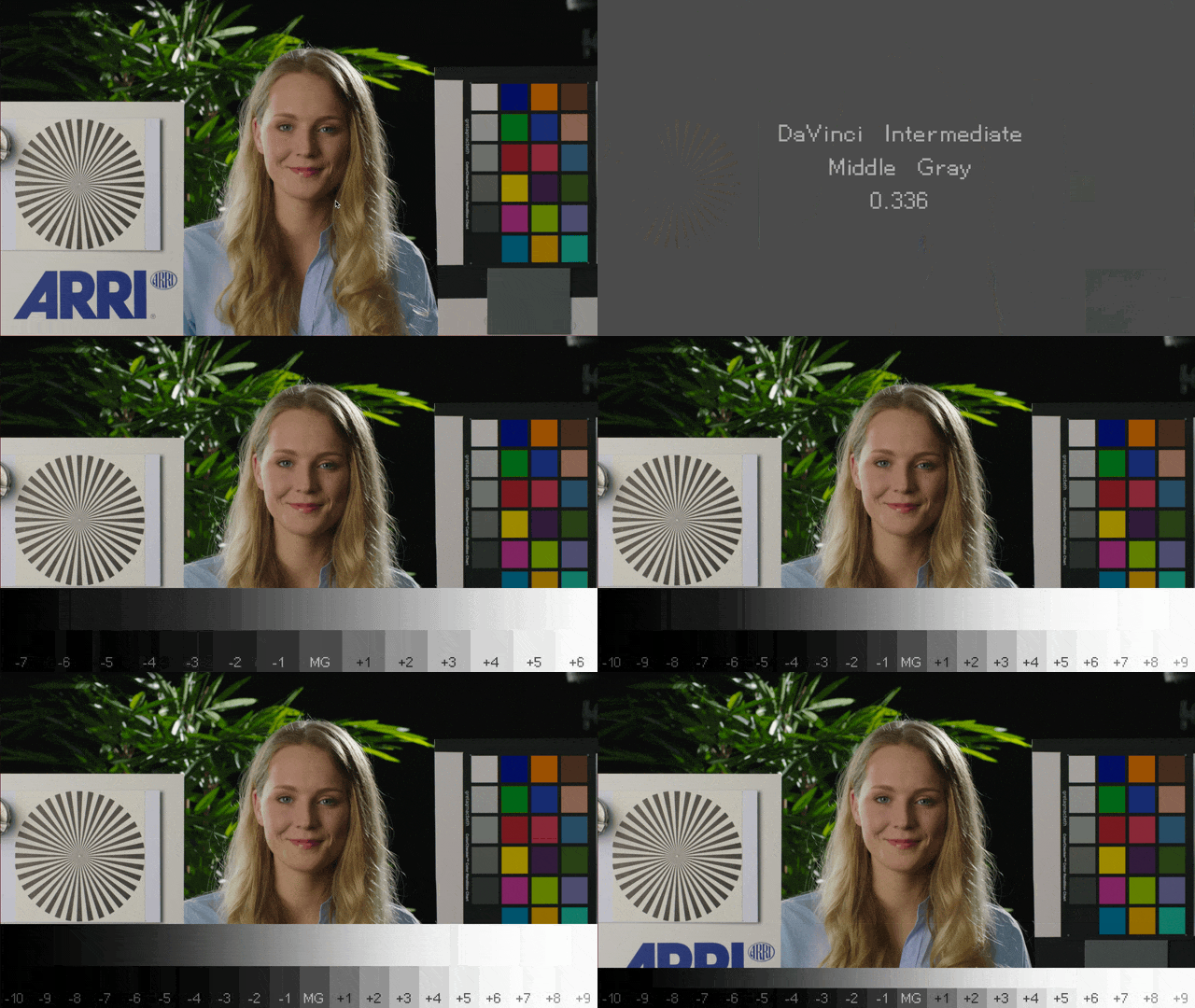
A Stops Chart in the Viewer
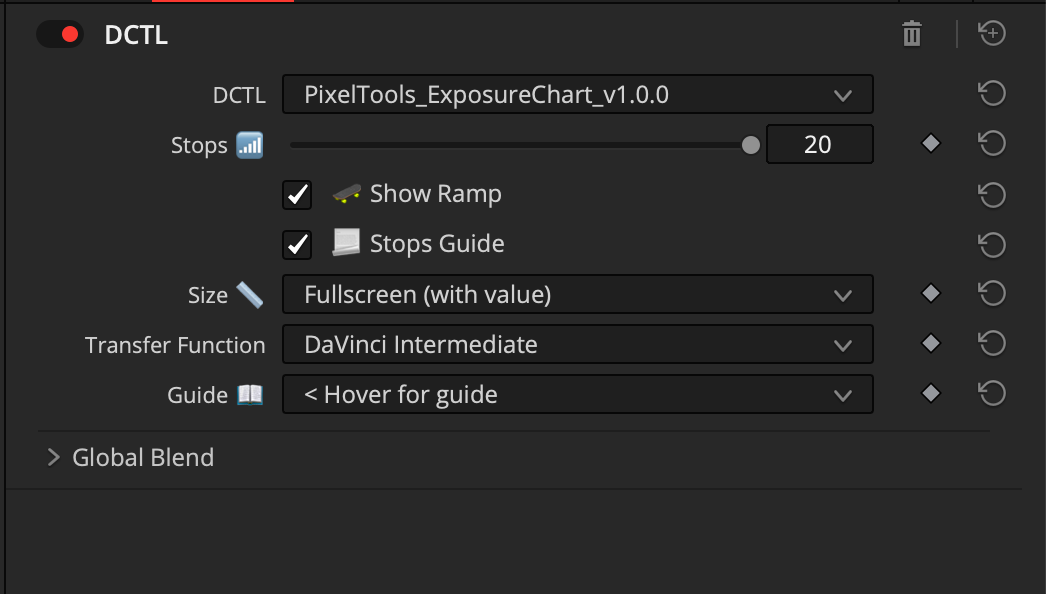
Exposure/Chart™ is a free DCTL that lays a stops chart over your image in DaVinci Resolve. Set how many stops the ramp covers, show the ramp, and read where your exposure sits against a fixed scale instead of eyeballing it.
Size and guide options fit the overlay to your frame, and it clears with one switch so nothing reaches the render. It works in DaVinci Wide Gamut Intermediate.
Exposure/Chart™ DCTL — Frequently Asked Questions
What is the Exposure/Chart™ DCTL?
It's a free DaVinci Resolve DCTL that overlays a stop ramp around middle gray directly on your footage, so you can read exposure and place mid-tones precisely during image analysis, testing, and look development.
Is the Exposure Chart DCTL free?
Yes — it's a free download. Enter your name and email on this page and we'll send the download link straight to your inbox.
Does it require DaVinci Resolve Studio?
Yes. DCTL plug-ins load only in DaVinci Resolve Studio; the free edition of Resolve can't run DCTLs.
How many stops does it show?
The Stops control is adjustable — at 12 it displays ±6 stops around middle gray. You can also toggle the Show Ramp and Stops Guide overlays.
Which color space does it support?
It includes a Transfer Function selector (for example, DaVinci Intermediate) so the chart's middle gray and stop spacing match your timeline's color space.
How do I install it?
The easiest way is the free PixelTools Installer — one click, no folder hunting. To install manually, drop the .dctl file into your DaVinci Resolve LUT folder, then apply it on a node via the DCTL OFX.
How is it different from the Chart Tools in Prime/Grade™?
The same Chart Tools are built into Prime/Grade™, our all-in-one primary plug-in. Exposure/Chart™ is the standalone, free version.